



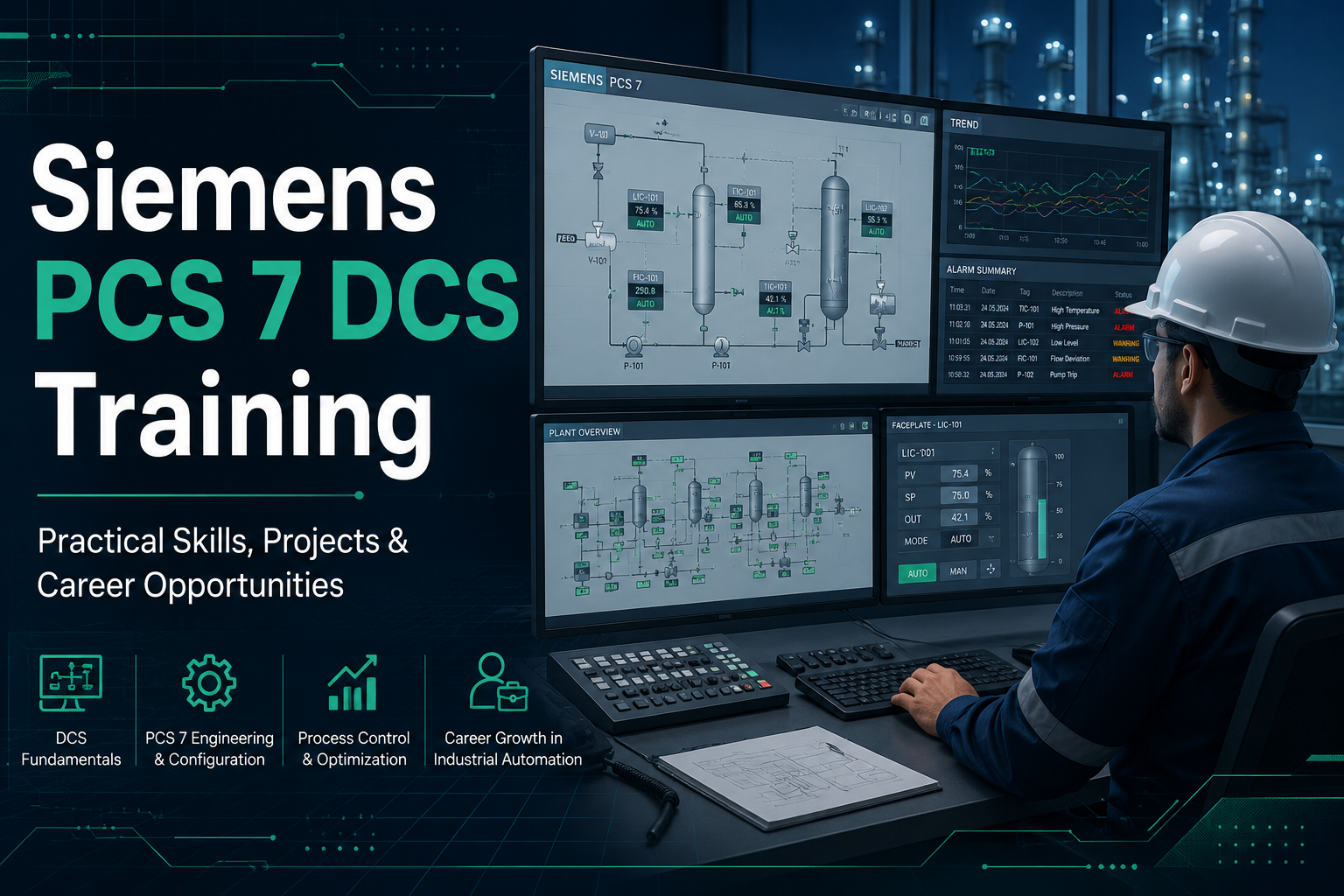
Modern process plants depend on more than standalone PLCs and individual controllers. Oil and gas facilities, chemical plants, power stations, pharmaceutical units, water treatment facilities, and other process industries require control systems that can monitor thousands of signals, manage control loops, handle alarms, execute operating sequences, and give operators a clear view of plant conditions.
This is where Siemens SIMATIC PCS 7 is commonly used.
Siemens PCS 7 DCS Training is designed for engineers and technical professionals who want to understand how a distributed control system is engineered, configured, operated, tested, and maintained in an industrial environment.
The training goes beyond learning software menus. A useful PCS 7 course should help you understand the complete engineering workflow—from configuring an automation station and developing CFC logic to designing operator displays, creating alarms, implementing interlocks, and testing process sequences.
At Ascents Learning, Siemens PCS 7 DCS Training focuses on practical process automation skills so learners can understand how DCS engineering is approached in industrial projects.
What Is Siemens PCS 7 DCS?
SIMATIC PCS 7 is Siemens’ distributed control system designed primarily for process automation applications.
A Distributed Control System, or DCS, combines process controllers, engineering tools, operator interfaces, communication networks, field instrumentation, alarms, trends, and plant-level monitoring within an integrated automation environment.
Instead of controlling one isolated machine, a DCS often supervises an entire process area or plant.
For example, consider a chemical processing unit containing:
- Pumps
- Motors
- Control valves
- Flow transmitters
- Temperature transmitters
- Pressure transmitters
- Level transmitters
- Reactors
- Storage tanks
- Heat exchangers
The control system must continuously receive data from these devices, execute control strategies, trigger alarms when abnormal conditions occur, and provide operators with enough information to operate the plant effectively.
PCS 7 brings these functions together within one engineering environment.
This is one reason Siemens PCS 7 DCS Training is especially relevant for instrumentation engineers, control engineers, automation engineers, commissioning professionals, and engineers working in continuous or batch-process industries.
How Siemens PCS 7 Works in a Process Plant
A PCS 7 installation can include several interconnected layers.
Engineering Station
The Engineering Station is where engineers develop and configure the automation project.
Typical activities include:
- Project creation
- Hardware configuration
- Network configuration
- CFC programming
- SFC development
- Operator Station configuration
- Alarm configuration
- Process graphics
- Library management
- Project testing
Most engineering tasks covered during Siemens PCS 7 DCS Training begin from the Engineering Station.
Automation System
The Automation System executes the control logic.
It receives process signals from field devices, executes control algorithms, manages interlocks, and sends outputs to equipment such as pumps, valves, and motors.
Operator Station
The Operator Station allows plant operators to monitor and control the process.
Operators can view:
- Process graphics
- Equipment status
- Process values
- Alarms
- Trends
- Setpoints
- Controller modes
- Equipment commands
Field Level
The field level includes actual plant instrumentation and equipment such as transmitters, actuators, valves, motors, switches, and remote I/O.
Understanding how information travels from the field to the controller and finally to the operator interface is an important foundation of PCS 7 engineering training.
What Is Siemens PCS 7 DCS Training?
Siemens PCS 7 DCS Training teaches learners how the PCS 7 engineering environment is used to configure and manage industrial process-control applications.
The course should not be treated as simple software training.
Good PCS 7 training connects three important areas:
Process knowledge + automation logic + system engineering
For example, an engineer should not simply know how to insert a motor block into a project. The engineer should understand:
- What field signals are available
- Which conditions allow the motor to start
- Which faults should stop it
- What alarms should be generated
- What status the operator should see
- How the equipment interacts with upstream and downstream systems
That practical thought process is what makes DCS knowledge useful in a real project.
Who Should Learn Siemens PCS 7 DCS?
Siemens PCS 7 DCS Training can be useful for both fresh graduates and experienced engineering professionals.
Instrumentation Engineers
Instrumentation engineers already work with process measurements, transmitters, control valves, control loops, interlocks, and industrial communication.
PCS 7 training helps connect these field-level concepts with DCS engineering.
Electrical and Electronics Engineers
Electrical and electronics graduates interested in industrial automation can use Siemens PCS 7 DCS Training to build knowledge of process-control systems, automation architecture, controller logic, and plant monitoring.
PLC and Automation Engineers
Engineers familiar with PLC programming can extend their knowledge toward plant-wide process automation.
PCS 7 introduces additional concepts such as:
- Integrated process libraries
- Operator-system engineering
- Plant hierarchy
- Alarm management
- Process visualization
- Distributed automation architecture
Process and Chemical Engineers
Process engineers who understand plant operations can also benefit from knowing how control strategies are implemented inside a DCS.
Understanding PCS 7 can make communication with instrumentation and automation teams easier.
Working Professionals
The course can also benefit professionals working as:
- Automation Engineers
- Maintenance Engineers
- Instrumentation Engineers
- Control Systems Engineers
- Commissioning Engineers
- Plant Engineers
- DCS Support Engineers
Prerequisites for Siemens PCS 7 DCS Training
You do not need to be an experienced PCS 7 engineer before starting.
However, some basic engineering knowledge makes learning easier.
Useful prerequisites include:
- Basic electrical engineering concepts
- Understanding of digital and analog signals
- Instrumentation fundamentals
- Process-control basics
- PLC fundamentals
- Industrial automation concepts
You should also understand simple control terminology such as:
PV – Process Variable
The actual measured value of a process parameter.
SP – Setpoint
The desired value that the control system tries to maintain.
MV – Manipulated Variable
The controller output used to influence the process.
For example, in a temperature-control loop:
- PV: Measured temperature
- SP: Required temperature
- MV: Control valve opening
Learners without previous PLC experience can still study Siemens PCS 7 DCS Training, provided the course explains automation fundamentals before moving into advanced engineering.
Siemens PCS 7 DCS Training Curriculum
A strong curriculum should follow the same sequence engineers typically encounter while building a process automation project.
Module 1: Introduction to DCS and PCS 7 Architecture
The training starts with understanding how a distributed control system works.
Topics should include:
- DCS fundamentals
- PCS 7 system architecture
- Engineering Station
- Operator Station
- Automation System
- Field level
- Server and client concepts
- Communication architecture
- Process-control data flow
This foundation is important because PCS 7 should be understood as a complete automation system rather than simply another programming application.
Module 2: PCS 7 Project Creation and Structure
A well-structured project is easier to develop, test, maintain, and expand.
Learners should understand:
- Creating a new project
- Multiproject concepts
- Plant hierarchy
- Project libraries
- Master data
- Project organization
- Technological hierarchy
For example, a plant may be structured as:
Plant → Process Area → Unit → Equipment → Control Module
Learning to organize automation according to the physical plant makes large engineering projects much easier to manage.
Module 3: Hardware and Network Configuration
The next stage of Siemens PCS 7 DCS Training should cover system hardware.
Topics can include:
- Automation Station configuration
- CPU configuration
- I/O concepts
- Distributed I/O
- PC station configuration
- Network configuration
- Communication interfaces
- Industrial Ethernet concepts
- PROFIBUS concepts
- PROFINET concepts
Engineers need to understand how signals from field instrumentation ultimately reach the automation program.
CFC Programming in Siemens PCS 7
Continuous Function Chart, commonly called CFC, is one of the most important engineering tools used in PCS 7.
CFC uses graphical function blocks to build process-control logic.
Instead of writing long text-based programs, engineers connect standard blocks according to the required process behavior.
Typical CFC applications include:
- Motor control
- Valve control
- Analog signal monitoring
- PID control
- Interlocks
- Permissives
- Process measurements
- Equipment status monitoring
During Siemens PCS 7 DCS Training, learners should practice building complete control logic rather than simply placing blocks on a chart.
For example, consider a centrifugal pump.
The pump may be allowed to start only if:
- The suction valve is open
- Tank level is above the minimum limit
- The motor is healthy
- Emergency shutdown is inactive
- Downstream equipment is ready
These conditions form part of the permissive and interlock logic.
This is the type of practical reasoning that makes CFC training useful.
Advanced Process Library in PCS 7
The Advanced Process Library, often called APL, provides standardized blocks used for common process equipment and control functions.
These may include blocks associated with:
- Motors
- Valves
- Analog measurements
- Digital signals
- Controllers
- Monitoring
- Equipment status
Using standardized blocks helps engineers maintain consistent control behavior and operator interfaces across a plant.
During PCS 7 automation training, learners should understand not only how to use these blocks but also what happens when their parameters, signals, alarms, and operating modes are configured.
SFC and Sequential Control in PCS 7
Not every industrial process operates continuously. Some processes must follow a defined sequence.
For these applications, Sequential Function Chart or SFC can be used.
An SFC commonly consists of:
- Steps
- Transitions
- Actions
- Conditions
Consider a reactor startup sequence.
The system may need to:
- Verify that the vessel is available.
- Confirm all required valves are in the correct position.
- Start the agitator.
- Open the feed valve.
- Fill the reactor to a specified level.
- Close the feed valve.
- Begin heating.
- Maintain temperature for a specified period.
Each stage depends on the successful completion of the previous stage.
Learning SFC during Siemens PCS 7 DCS Training helps engineers understand how these operating sequences are automated.
CFC vs SFC in PCS 7
CFC and SFC serve different purposes.
CFC
CFC is generally used for continuous control and equipment logic.
Examples include:
- Motor control
- Valve control
- Analog monitoring
- PID loops
- Interlocks
SFC
SFC is typically used for sequential operations.
Examples include:
- Plant startup
- Equipment startup
- Batch operations
- Shutdown sequences
- Cleaning cycles
- Reactor operations
In real industrial systems, CFC and SFC are often used together.
An SFC may command a pump to start while the actual motor permissives and protection logic are implemented in CFC.
Interlocks and Permissives in PCS 7
Interlocks are one of the most important topics in industrial automation.
Consider a pump transferring liquid from Tank A to Tank B.
Starting the pump without checking the process conditions could cause:
- Dry running
- Overflow
- Equipment damage
- Process interruption
The control system may therefore require conditions such as:
- Tank A level above low limit
- Tank B not at high-high level
- Discharge valve open
- No motor trip
- No emergency shutdown
A good Siemens PCS 7 DCS Training program should provide multiple practical interlock exercises so learners understand the difference between simply writing logic and designing reliable operating conditions.
PCS 7 Operator Station Engineering
Control logic is only one side of DCS engineering.
Plant operators need a clear interface for monitoring the process.
This is handled through the Operator Station.
Learners should understand how to configure:
- Process graphics
- Faceplates
- Equipment status
- Process values
- Operator commands
- Controller displays
- Alarm views
- Trends
Imagine a tank graphic displayed in the control room.
The operator should quickly understand:
- Current level
- Inlet valve position
- Outlet valve position
- Pump status
- Current flow
- Active alarms
Good Operator Station engineering helps translate complex automation logic into information that operators can understand quickly.
Alarm Configuration in Siemens PCS 7
An alarm tells the operator that an abnormal process or equipment condition requires attention.
Examples include:
- High tank level
- Low tank level
- High temperature
- Motor trip
- Valve failure
- Communication failure
During Siemens PCS 7 DCS Training, learners should understand how alarms are generated, displayed, acknowledged, and associated with process equipment.
Alarm engineering should also consider priority. A minor warning should not necessarily have the same importance as a condition that could shut down critical equipment.
Trends and Process Archiving
Current process values tell operators what is happening now.
Historical trends help engineers understand what happened before a problem occurred.
Suppose a compressor trips unexpectedly.
A trend may reveal that:
- Discharge pressure increased gradually
- Motor current started rising
- Temperature exceeded the normal operating range
- The trip occurred shortly afterward
This historical information can be extremely useful during troubleshooting.
A practical PCS 7 engineering course should therefore include basic trend configuration and process-data archiving concepts.
PID Control in Siemens PCS 7
PID control is widely used throughout the process industry.
Typical PID loops include:
- Flow control
- Level control
- Pressure control
- Temperature control
A useful Siemens PCS 7 DCS Training course should explain the control loop from both process and automation perspectives.
For example, consider level control.
A level transmitter measures tank level. The controller compares that measurement with the required setpoint. The controller output adjusts the control valve.
If the level becomes too low, the valve opens further. If the level becomes too high, the valve closes.
Understanding what the PID block is doing is more valuable than simply learning where the block is located inside the software.
PCS 7 Diagnostics and Troubleshooting
Plant automation engineers spend significant time troubleshooting.
Problems can occur because of:
- Incorrect configuration
- Faulty field instruments
- Network communication failures
- Incorrect interlocks
- Controller faults
- Incorrect scaling
- Alarm configuration issues
- Operator Station problems
A practical Siemens PCS 7 DCS Training program should teach a structured troubleshooting method.
For example, if a pump does not start, an engineer should not immediately assume the motor is faulty.
The engineer should verify:
- Has the operator command been received?
- Are all permissive conditions satisfied?
- Is any interlock active?
- Is the equipment in the correct operating mode?
- Is communication healthy?
- Is the output command reaching the field?
This step-by-step thinking is essential in industrial automation.
Testing and Commissioning in PCS 7
Engineering work does not end when programming is complete. The system must be tested.
Testing may include:
- Logic verification
- Input simulation
- Output testing
- Interlock testing
- Sequence testing
- Alarm testing
- Operator-display verification
Commissioning engineers must confirm that automation behaves correctly during both normal and abnormal operating conditions.
That is why Siemens PCS 7 DCS Training should include troubleshooting and testing exercises instead of concentrating only on configuration.
Practical PCS 7 Project: Tank Filling and Transfer System
A practical project is one of the best ways to understand PCS 7.
Consider a simple tank filling and transfer application.
Equipment
The process contains:
- Tank
- Level transmitter
- Inlet control valve
- Transfer pump
- Outlet valve
- Flow transmitter
Operating Requirements
The system should:
- Monitor tank level
- Open the inlet valve during filling
- Stop filling at high level
- Generate a high-level alarm
- Prevent overflow
- Start the transfer pump when required
- Prevent pump operation at low level
- Display all equipment on the Operator Station
CFC Logic
CFC can be used to configure:
- Level monitoring
- Valve logic
- Pump logic
- Alarms
- Interlocks
- Equipment permissives
SFC Sequence
SFC can manage the process sequence:
Fill → Verify Level → Stop Filling → Prepare Transfer → Start Pump → Transfer Liquid → Stop at Low Level
Operator Graphics
The Operator Station can display:
- Tank level
- Pump status
- Valve positions
- Flow
- Active alarms
- Start and stop commands
A project like this combines multiple topics covered during Siemens PCS 7 DCS Training into one realistic engineering exercise.
Practical Skills You Should Gain From Siemens PCS 7 DCS Training
After completing structured training and sufficient practice, a learner should understand how to:
- Create and structure a PCS 7 project
- Configure automation hardware
- Understand PCS 7 architecture
- Develop CFC logic
- Build sequential control using SFC
- Configure process blocks
- Implement motor and valve logic
- Develop interlocks
- Configure permissives
- Work with analog signals
- Understand PID control
- Create operator displays
- Configure alarms
- Configure trends
- Test automation logic
- Diagnose common system problems
These skills are far more valuable than simply stating that you have used PCS 7 software.
Siemens PCS 7 vs PLC: What Is the Difference?
A common question from learners is whether PCS 7 is simply another PLC programming platform.
The answer is no.
PLC systems are widely used for machine automation and discrete control applications, although modern PLC platforms can also handle large process applications.
PCS 7 is designed around integrated process automation.
It combines:
- Controller engineering
- Operator-system engineering
- Process libraries
- Alarm management
- Process graphics
- Plant hierarchy
- Process archiving
- System diagnostics
- Distributed control architecture
Learning PLC programming can provide a useful foundation, but Siemens PCS 7 DCS Training develops a broader understanding of plant-level process automation.
Engineering Station vs Operator Station
Learners often confuse these two concepts.
Engineering Station
Used mainly by automation engineers for:
- System configuration
- Programming
- Project modification
- Hardware setup
- CFC engineering
- SFC engineering
- Operator-system configuration
Operator Station
Used mainly by plant operators for:
- Process monitoring
- Equipment operation
- Alarm acknowledgement
- Trend monitoring
- Setpoint adjustments
- Plant supervision
An automation engineer should understand both because changes made in the Engineering Station determine what the operator ultimately sees in the control room.
Why Hands-On PCS 7 Training Matters
DCS engineering cannot be learned effectively through theory alone.
Knowing the definition of an interlock is different from actually building one.
For example, a learner may understand that a pump requires a low-level interlock.
But the practical task involves:
- Selecting the correct signal
- Configuring the process block
- Building permissive logic
- Connecting the interlock
- Generating an alarm
- Displaying equipment status
- Testing the condition
- Verifying operator behavior
This is why hands-on exercises are central to useful Siemens PCS 7 DCS Training.
Skills to Mention on Your Resume After PCS 7 Training
Depending on the topics you have genuinely practiced, relevant skills may include:
- Siemens SIMATIC PCS 7
- Distributed Control Systems
- Process Automation
- CFC Programming
- SFC Programming
- Advanced Process Library
- Operator Station Engineering
- Process Visualization
- Alarm Configuration
- Process Interlocks
- Equipment Permissives
- PID Control
- Industrial Automation
- Process Control
- Industrial Communication
- DCS Troubleshooting
- Testing and Commissioning
Avoid filling your CV with technologies you cannot explain during an interview.
It is better to confidently explain one complete PCS 7 project than list twenty tools without practical understanding.
Career Opportunities After Siemens PCS 7 DCS Training
Learning PCS 7 can support several automation and process-control career paths.
PCS 7 Engineer
A PCS 7 engineer may work on system configuration, CFC programming, SFC development, Operator Station engineering, testing, or project modifications.
DCS Engineer
DCS engineers work with process-control systems used throughout industrial plants.
Responsibilities may include:
- Configuration
- Maintenance
- Troubleshooting
- System upgrades
- Control logic
- Operator-system modifications
Automation Engineer
Automation engineers may work across PLC, DCS, SCADA, instrumentation, drives, industrial networks, and control systems.
Control Systems Engineer
Control Systems Engineers work on control philosophies, automation architecture, control loops, process logic, and system integration.
Instrumentation Engineer
Instrumentation engineers with DCS knowledge can work more effectively across field instrumentation and control-system engineering.
Commissioning Engineer
Commissioning engineers test automation systems during plant startup.
Their responsibilities can include:
- I/O checking
- Loop checking
- Logic testing
- Interlock verification
- Sequence testing
- Troubleshooting
DCS Maintenance Engineer
Maintenance engineers support running plants by diagnosing automation faults and maintaining reliable system performance.
Industries Where PCS 7 and DCS Skills Are Relevant
DCS skills are especially useful in industries where processes operate continuously or in controlled batches.
Examples include:
- Oil and gas
- Refineries
- Petrochemicals
- Chemicals
- Pharmaceuticals
- Power generation
- Water treatment
- Wastewater treatment
- Food processing
- Cement
- Metals
- Utilities
- Specialty process manufacturing
The exact automation platform used varies between plants, but understanding DCS engineering concepts can transfer across many process-control environments.
Siemens PCS 7 DCS Training for Freshers
Fresh graduates should focus first on fundamentals.
A useful learning path is:
DCS Basics → Instrumentation Fundamentals → Process Control → PCS 7 Architecture → CFC → SFC → Operator Station → Alarms → Interlocks → Projects → Troubleshooting
Freshers should not try to memorize every function.
Instead, build one project that you can confidently explain from field signal to operator display.
That gives you something concrete to discuss during technical interviews.
Siemens PCS 7 DCS Training for Working Professionals
Working professionals often have different goals.
An instrumentation engineer may already understand field devices but need stronger automation-system knowledge.
A PLC engineer may need to understand PCS 7 architecture, process libraries, and Operator Station engineering.
A maintenance engineer may want better troubleshooting skills.
For professionals, Siemens PCS 7 DCS Training should focus heavily on practical configuration, project workflows, diagnostics, and industrial use cases.
How to Choose a Siemens PCS 7 DCS Training Institute
Not every course that teaches software provides useful industrial skills.
Before selecting a program, check whether the training covers:
Practical Engineering
Ask whether learners actually configure projects or only watch demonstrations.
CFC and SFC
Both are important areas of PCS 7 engineering.
Operator Station Engineering
A DCS course should not stop at controller programming.
Interlocks and Permissives
These concepts are fundamental to plant automation.
Alarm and Trend Configuration
Learners should understand how plant operators interact with process information.
Projects
A complete process project helps connect individual topics.
Troubleshooting
Real automation work involves finding problems, not only creating configurations.
Trainer Experience
An instructor with actual project understanding can explain why certain engineering decisions are made instead of simply showing where buttons are located.
Why Choose Ascents Learning for Siemens PCS 7 DCS Training?
Ascents Learning focuses on practical training designed around real engineering concepts instead of theory-only instruction.
Hands-On Learning
The objective is to help learners understand how control logic, plant equipment, process signals, and operator systems work together.
Industry-Focused Training
Training includes industrial examples and practical scenarios so learners understand where specific PCS 7 functions are used.
Practical Projects
Projects allow learners to apply CFC, SFC, alarms, interlocks, operator displays, and process-control concepts together.
Live Instructor-Led Sessions
Learners can interact with trainers, discuss technical problems, and clarify engineering concepts during training.
Small-Batch Learning
Smaller batches make it easier to ask technical questions and receive individual guidance.
Flexible Learning Options
Ascents Learning supports flexible learning options suitable for students as well as working professionals.
Interview Preparation
Technical interview preparation can include:
- Resume guidance
- Mock interviews
- DCS interview questions
- Project explanation practice
- Job-role guidance
- Technical concept revision
The objective is not simply to complete Siemens PCS 7 DCS Training, but to become comfortable explaining how process automation works.
Siemens PCS 7 Certification and Project Experience
A training certificate can support your professional profile, but certification alone should not be treated as proof of engineering ability.
Employers may ask questions such as:
- How did you configure your project?
- What is CFC?
- What is the difference between CFC and SFC?
- What happens when an interlock becomes active?
- How would you troubleshoot a motor that is not starting?
- What is an Operator Station?
- How are alarms generated?
- How would you build a level-control loop?
If you can answer these questions using a project you actually developed, your training becomes much more meaningful.
Learners should also distinguish between an institute’s course-completion certificate and official Siemens certification pathways.
Siemens PCS 7 Interview Preparation
Interview preparation should focus on concepts as well as troubleshooting scenarios.
Important areas include:
- PCS 7 architecture
- Engineering Station
- Operator Station
- Automation Station
- CFC
- SFC
- Advanced Process Library
- Process hierarchy
- Alarm configuration
- Interlocks
- Permissives
- PID loops
- Process graphics
- Industrial communication
- Commissioning
- Troubleshooting
Example PCS 7 Interview Scenario
Question: A pump is healthy, but it is not starting from the Operator Station. How would you troubleshoot it?
A structured troubleshooting approach could include checking:
- Operating mode
- Start command
- Permissives
- Active interlocks
- Motor feedback
- Communication
- Control output
- Equipment alarms
This type of scenario demonstrates practical thinking better than memorized definitions.
Is Siemens PCS 7 DCS Training Worth Learning?
For professionals targeting process automation, PCS 7 can be a valuable technical skill.
It is particularly relevant for learners interested in careers involving:
- DCS engineering
- Instrumentation
- Industrial automation
- Process control
- Plant maintenance
- Commissioning
- Control-system engineering
However, learning only the software interface is not enough.
The most valuable engineers understand both the process and the automation.
They know why a control loop exists, why a motor requires permissives, why an alarm is configured, and how operators interact with the system.
That is the real objective of Siemens PCS 7 DCS Training.
Frequently Asked Questions About Siemens PCS 7 DCS Training
What is Siemens PCS 7 DCS Training?
Siemens PCS 7 DCS Training teaches learners how Siemens SIMATIC PCS 7 is used for process automation. Typical topics include PCS 7 architecture, project configuration, CFC programming, SFC, Operator Station engineering, alarms, process graphics, interlocks, PID control, troubleshooting, and commissioning concepts.
Is Siemens PCS 7 a PLC or DCS?
PCS 7 is Siemens’ distributed control system for process automation. Its automation systems use Siemens controller technology, but PCS 7 combines controllers with integrated engineering, operator systems, process libraries, alarms, visualization, and plant-level control functions.
Who can learn Siemens PCS 7?
Instrumentation engineers, electrical engineers, electronics engineers, PLC engineers, automation professionals, process engineers, commissioning engineers, maintenance engineers, and engineering graduates interested in industrial automation can learn PCS 7.
Do I need PLC knowledge before learning PCS 7?
PLC knowledge is useful but not always mandatory. Learners with basic electrical, instrumentation, process-control, and automation knowledge can begin PCS 7 training if the fundamentals are taught properly.
What is CFC in PCS 7?
CFC stands for Continuous Function Chart. It is a graphical engineering environment used to connect function blocks for applications such as motor control, valve control, PID loops, process monitoring, permissives, and interlocks.
What is SFC in PCS 7?
SFC stands for Sequential Function Chart. It is used to develop sequential process logic involving steps, transitions, and actions. Common applications include startup sequences, shutdown sequences, batch operations, and equipment operating procedures.
What is an Operator Station in PCS 7?
The Operator Station provides the interface through which plant operators monitor and control the process. It can display process graphics, equipment status, alarms, trends, controller values, and operating commands.
What jobs can I apply for after Siemens PCS 7 DCS Training?
Depending on your engineering background and experience, relevant roles may include DCS Engineer, PCS 7 Engineer, Automation Engineer, Instrumentation Engineer, Control Systems Engineer, Commissioning Engineer, Process Control Engineer, and DCS Maintenance Engineer.
Is PCS 7 useful for instrumentation engineers?
Yes. Instrumentation engineers already work with sensors, transmitters, control valves, process signals, and control loops. PCS 7 knowledge helps connect this field instrumentation knowledge with DCS configuration and process-control engineering.
Does Siemens PCS 7 DCS Training include practical projects?
A well-structured Siemens PCS 7 DCS Training program should include practical exercises and projects covering project creation, CFC, SFC, operator displays, alarms, interlocks, process control, and troubleshooting. At Ascents Learning, practical learning is an important part of the training approach.
Conclusion
Siemens PCS 7 DCS Training is most valuable when it teaches the complete process-control engineering workflow instead of focusing only on software navigation.
Learners should understand how field signals enter the DCS, how CFC and SFC logic control equipment, how interlocks protect the process, how Operator Stations present information, and how engineers troubleshoot abnormal conditions.
For students and working professionals interested in industrial automation, instrumentation, commissioning, and process-control careers, practical PCS 7 knowledge can strengthen an existing engineering background.
At Ascents Learning, the focus is on developing hands-on automation skills through structured training, practical exercises, real-time examples, projects, and career preparation.
The goal is simple: when you finish your Siemens PCS 7 DCS Training, you should be able to explain not only what PCS 7 is, but how you would use it to engineer and troubleshoot a real industrial process.