



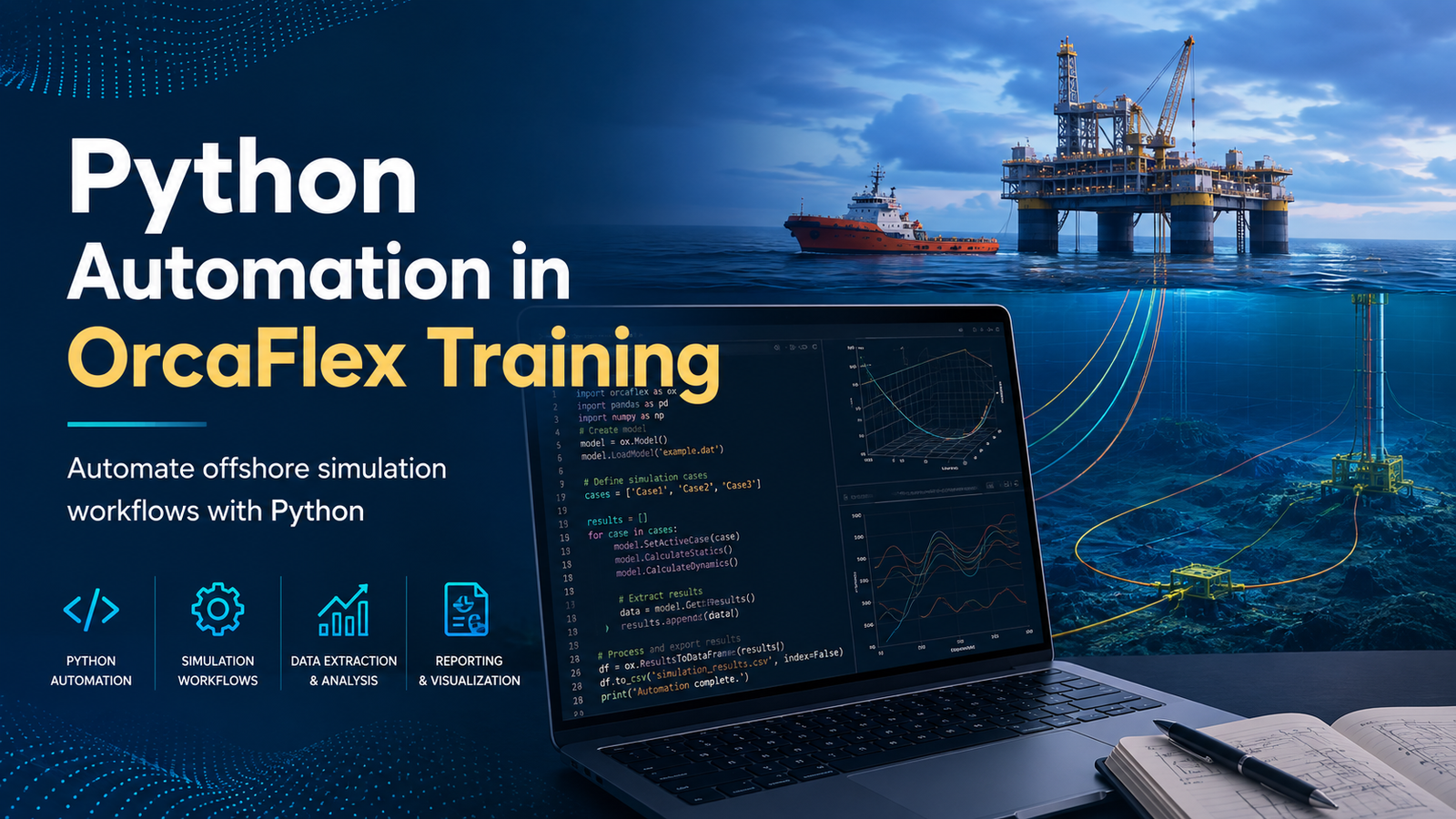
Offshore engineering analysis often involves far more than building one model and running one simulation. Engineers may need to evaluate dozens or even hundreds of environmental conditions, vessel positions, line configurations, load cases, and design alternatives before reaching a reliable engineering decision.
Doing all of that manually in OrcaFlex can become repetitive very quickly.
This is where Python becomes useful.
Python Automation in OrcaFlex Training teaches engineers how to combine OrcaFlex simulation knowledge with Python scripting to automate routine analysis work. Instead of repeatedly opening models, changing parameters, running simulations, extracting results, and preparing spreadsheets manually, engineers can build scripts that handle much of this workflow consistently.
For offshore, subsea, marine, structural, and simulation engineers, the value is practical: less time spent repeating the same actions and more time available for reviewing results and making engineering decisions.
At Ascents Learning, Python Automation in OrcaFlex Training is designed around this engineering use case. The objective is not simply to teach Python syntax. It is to help learners understand how Python can be applied to actual OrcaFlex models, simulation workflows, result extraction, and engineering data processing.
What Is Python Automation in OrcaFlex?
OrcaFlex is widely used for dynamic analysis of offshore marine systems. Engineers use it to model and analyse systems involving components such as risers, mooring lines, flexible pipes, cables, umbilicals, vessels, buoys, and other offshore structures.
A typical analysis may involve creating an OrcaFlex model, defining environmental conditions, configuring system properties, running static and dynamic calculations, reviewing results, and documenting the findings.
That workflow works well when only a small number of cases are involved.
The challenge starts when the same procedure has to be repeated many times.
Python automation provides a way to control and interact with OrcaFlex programmatically.
Orcina provides a Python interface through the OrcFxAPI module. The interface is a Python wrapper around the OrcaFlex API and allows Python programs to work with OrcaFlex models, model objects, simulations, and results.
With the right Python script, an engineer can perform tasks such as:
- Open an existing OrcaFlex model
- Create new model objects
- Read existing model parameters
- Change line, vessel, or environmental properties
- Run simulations
- Save completed simulation files
- Process several analysis cases
- Extract engineering results
- Organise results for further analysis
- Generate plots and summary tables
This is the main practical focus of Python Automation in OrcaFlex Training.
Why Learn Python Automation for OrcaFlex?
Learning OrcaFlex and learning Python separately are useful skills. The bigger advantage comes from understanding how the two can work together.
A Python developer may understand loops, functions, classes, and data processing but know very little about offshore engineering.
An OrcaFlex engineer may understand dynamic analysis, line behaviour, environmental loading, and model assumptions but still perform repetitive simulation tasks manually.
Professionals who understand both sides can build automation workflows that make engineering analysis more efficient without losing sight of the engineering behind the calculations.
Reduce Repetitive Engineering Work
Consider a project where an engineer needs to evaluate a system for multiple vessel offsets and environmental directions.
Without automation, the workflow may look something like this:
- Open the OrcaFlex model.
- Change the vessel position.
- Change wave direction.
- Change current direction.
- Save a new model.
- Run the calculation.
- Open the simulation results.
- Record the required values.
- Repeat everything for the next case.
This may be acceptable for five cases.
For 50, 100, or more cases, however, manual handling becomes inefficient and increases the opportunity for inconsistent inputs or result-handling mistakes.
During Python Automation in OrcaFlex Training, learners can understand how scripts can be used to repeat controlled engineering workflows based on predefined parameters.
Run Multiple OrcaFlex Simulations
Python can also help manage repeated simulation tasks.
OrcaFlex provides batch-processing capabilities, while its Python interface supports workflows for running simulations and processing multiple models.
For engineers performing sensitivity studies, parametric analysis, or investigating multiple design conditions, this approach can remove a considerable amount of repetitive manual work.
Improve Consistency in Engineering Analysis
Automation is not only about speed.
It can also help standardise how repetitive tasks are performed. If a properly checked Python script applies the same sequence to every case, the procedure becomes more repeatable.
Engineers still need to verify the model, assumptions, input data, boundary conditions, and outputs, but the repetitive execution process can be made more consistent.
Python automation does not replace engineering judgement. It helps automate well-defined tasks so engineers can spend more time reviewing whether the model and results actually make engineering sense.
What Do You Learn in Python Automation in OrcaFlex Training?
A useful OrcaFlex automation course should connect programming concepts directly with engineering applications.
Learning Python without an engineering context can leave engineers wondering how to use it in their daily work. Likewise, learning isolated OrcaFlex API commands without understanding Python fundamentals can make automation scripts difficult to maintain.
A structured Python Automation in OrcaFlex Training program should therefore build these skills progressively.
Python Fundamentals for Offshore Engineers
Engineers do not necessarily need to become software developers before they can start automating useful tasks.
They do, however, need a sound understanding of fundamental Python concepts, including:
- Variables and data types
- Strings and numbers
- Lists and dictionaries
- Conditional statements
- Loops
- Functions
- Modules
- File handling
- Exceptions and error handling
- Reading structured input data
The purpose of learning these concepts is practical.
For example, a loop can process a list of OrcaFlex models. A dictionary can store environmental conditions. A function can standardise result extraction. File handling can be used to save calculation outputs or read a list of analysis cases.
This application-based approach makes Python easier to understand for engineers.
Working with the OrcaFlex Python API
The next stage of Python Automation in OrcaFlex Training is connecting Python with OrcaFlex.
The Python interface is provided through OrcFxAPI.
Engineers can use it to create or load a model and then access objects within that model. Existing model objects can be referenced by name, while new objects such as lines, line types, and vessels can be created programmatically.
This allows engineers to move beyond ordinary desktop interaction and begin controlling model data directly through code.
Creating and Modifying OrcaFlex Models with Python
One of the most useful automation skills is learning how to read and modify model properties.
For example, an engineer may need to change:
- Vessel positions
- Line properties
- Line lengths
- Environmental conditions
- Water depth
- Wave parameters
- Current parameters
- Object positions
- Simulation settings
- Model configurations
The OrcaFlex Python interface allows many model parameters and object properties to be accessed programmatically.
This means an engineer can create a script that reads a base model and automatically prepares a family of models for different design cases.
That is considerably more useful than learning Python through generic examples that have no connection to offshore analysis.
Automating OrcaFlex Simulations
After creating or updating a model, the next logical step is simulation automation.
Python can be used as part of workflows that control OrcaFlex calculations, run simulations, save simulation files, and move through multiple analysis cases.
In practical Python Automation in OrcaFlex Training, learners should understand how these capabilities fit into a complete engineering workflow.
The objective is not simply to ask:
How do I start a simulation using Python?
A more useful question is:
How do I take a set of engineering design cases, update the model correctly, run each simulation, save the results, extract the required outputs, and organise everything consistently?
That is where automation becomes genuinely valuable.
Batch Processing and Parametric Studies in OrcaFlex
Parametric studies are a natural area for automation.
Suppose an engineer needs to evaluate a riser or mooring system under:
- 8 wave directions
- 4 current conditions
- 3 vessel offsets
- 2 loading conditions
Even this relatively straightforward matrix produces 192 analysis combinations.
Preparing and processing every case manually would require significant repetitive work.
With an organised automation workflow, Python can help generate or modify the required cases systematically.
Variables used in a study might include:
- Significant wave height
- Wave period
- Wave direction
- Current speed
- Current direction
- Vessel heading
- Vessel offset
- Water depth
- Line properties
- Equipment configuration
This is one reason Python Automation in OrcaFlex Training is particularly useful for engineers working on projects where repeated load-case generation is common.
Extracting OrcaFlex Results Using Python
Running simulations automatically solves only part of the problem.
Engineers still need results.
Depending on the model and analysis objective, those results could include:
- Effective tension
- Bend moment
- Curvature
- Position
- Displacement
- Loads
- Clearance
- Time histories
- Range graphs
- Maximum values
- Minimum values
The OrcaFlex Python interface supports programmatic result extraction, allowing engineers to work with simulation outputs and process those values further in Python.
For an engineer, this creates opportunities to automate the post-processing stage instead of manually opening every simulation and copying individual values into a spreadsheet.
Engineering Data Analysis with Python
Once results are extracted from OrcaFlex, Python can also help process them.
Common Python libraries used in engineering data workflows include:
- NumPy for numerical operations
- Pandas for structured datasets, tables, filtering, CSV files, and spreadsheet-style analysis
- Matplotlib for technical charts and result visualisation
Imagine extracting maximum effective tension from 100 simulation cases.
Instead of reviewing each result individually, a script can collect the values into a structured dataset. The engineer can then sort cases, identify critical conditions, compare configurations, and create plots for design review.
The engineer still has to interpret why a particular case is critical. Python simply makes the data easier to organise and inspect.
Practical Example of Python Automation in OrcaFlex
A realistic example helps explain why these skills matter.
Consider an offshore engineer studying the response of a mooring or riser system under multiple environmental conditions.
The project requires analysis at different vessel offsets and environmental headings.
The Manual Approach
The engineer might:
- Open the base model
- Change the vessel offset
- Enter the required environmental direction
- Save the model under a new filename
- Run the simulation
- Wait for completion
- Extract the required tension or motion results
- Enter the results into Excel
- Repeat the process for every case
There is nothing technically wrong with this workflow.
The problem is repetition.
The Automated Approach
After completing Python Automation in OrcaFlex Training, an engineer can work toward a workflow where Python:
- Reads a list of analysis cases.
- Loads the base OrcaFlex model.
- Applies the required vessel position.
- Updates environmental parameters.
- Prepares the model.
- Runs the required simulation.
- Extracts selected engineering results.
- Stores those results in a structured file.
- Moves automatically to the next case.
- Produces a summary of critical results.
This is a much more scalable approach when many similar cases must be evaluated.
It also demonstrates why learning Python syntax alone is not enough. The person writing the automation must understand which parameters can safely be changed, how cases should be named, what outputs matter, and how results should be checked.
Common Engineering Tasks You Can Automate in OrcaFlex
The exact automation opportunities depend on the project, but Python can be useful across several stages of an OrcaFlex workflow.
Automated Model Generation
Create model objects or prepare multiple model variations based on predefined engineering inputs.
Environmental Load-Case Generation
Automatically generate models for combinations of wave conditions, current conditions, vessel position, heading, or other environmental parameters.
Batch Simulation
Process multiple simulation cases without manually launching every analysis individually.
Sensitivity Analysis
Change selected parameters systematically and compare their influence on system response.
Parametric Studies
Run combinations of design parameters to understand how changes affect performance.
Results Extraction
Collect selected output variables from completed simulations automatically.
Critical-Case Identification
Compare maximum or minimum values across many cases to identify cases requiring further engineering review.
Time-History Processing
Extract and analyse time-varying simulation results.
Range-Graph Processing
Retrieve spatial result distributions along lines where appropriate.
Plot Generation
Create engineering charts automatically from extracted simulation data.
Reporting Support
Prepare structured CSV, spreadsheet, table, and graphical outputs for engineering review and reporting.
These areas form an important part of practical Python Automation in OrcaFlex Training because they reflect the type of repetitive work engineers encounter on real projects.
Python Automation vs Manual OrcaFlex Analysis
| Area | Manual OrcaFlex Workflow | Python-Automated Workflow |
|---|---|---|
| Model updates | Repeated manually | Parameters can be changed through scripts |
| Multiple simulations | Requires repeated interaction | Cases can be processed programmatically |
| Parametric studies | Becomes difficult at scale | Suitable for systematic case generation |
| Results extraction | Results checked individually | Selected outputs can be collected automatically |
| Data organisation | Often performed separately | Can be integrated into the workflow |
| Repeatability | Depends heavily on manual process | Scripts provide a defined procedure |
| Reusability | Limited | Automation routines can be adapted for future studies |
| Engineering judgement | Essential | Still essential |
The final row is the most important.
Automation does not decide whether your boundary conditions are correct. It does not determine whether the hydrodynamic assumptions are appropriate, and it does not automatically know whether a peak result is physically meaningful.
Those remain engineering responsibilities.
A good Python Automation in OrcaFlex Training program should teach automation as an engineering tool rather than presenting it as a replacement for engineering knowledge.
Who Should Take Python Automation in OrcaFlex Training?
The course can be useful for professionals and learners from several technical backgrounds.
Offshore Engineers
Engineers working with offshore structures, floating systems, mooring, installation, or dynamic response can use Python to organise repeated simulation tasks.
OrcaFlex Analysts
Existing OrcaFlex users are among the strongest candidates for Python Automation in OrcaFlex Training because they already understand the manual workflow and can immediately identify which parts are repetitive.
Subsea Engineers
Professionals working with risers, umbilicals, cables, pipelines, and related subsea systems may benefit from automated model generation, case processing, and result extraction.
Mooring and Riser Engineers
These engineers often deal with multiple environmental conditions and design cases, making structured automation particularly useful.
Marine Engineers
Professionals analysing floating systems and marine operations can use Python as part of larger simulation workflows.
Offshore Structural Engineers
Engineers involved in offshore system assessment can use automation to support studies involving large numbers of analysis cases.
Engineering Students and Fresh Graduates
Students who already have exposure to offshore engineering or simulation can use Python Automation in OrcaFlex Training to develop a combination of engineering and programming skills.
Working Professionals
Engineers who already use simulation tools but want to reduce repetitive analysis work may find the course particularly relevant.
Prerequisites for Python Automation in OrcaFlex Training
Advanced programming experience should not be viewed as a mandatory starting point.
A learner who already understands loops, functions, lists, and file handling will naturally progress faster. However, engineers without significant Python experience can still learn automation if the training begins with the fundamentals and quickly connects those concepts to OrcaFlex.
Helpful background knowledge may include:
- Basic offshore engineering concepts
- Understanding of engineering simulation
- Basic familiarity with OrcaFlex
- Basic Python knowledge, although this can be developed during training
- Interest in engineering automation and data processing
For example, writing a script that changes a vessel offset is straightforward.
Understanding why that offset is being changed and what its influence on the system means requires engineering knowledge.
Tools and Technologies Used in Python Automation in OrcaFlex Training
Depending on the learning scope and project requirements, relevant tools and technologies may include:
- OrcaFlex
- Python
- OrcFxAPI
- NumPy
- Pandas
- Matplotlib
- CSV data handling
- Excel-based datasets
- Python development environments
The most important combination remains OrcaFlex + OrcFxAPI + Python.
Practical Projects for Python Automation in OrcaFlex Training
Projects are where individual concepts begin to make sense as a complete workflow.
Project 1: OrcaFlex Load-Case Generator
Create multiple analysis models based on a table containing environmental and vessel conditions.
Project 2: Automated Batch Simulation Tool
Develop a workflow to process a collection of predefined OrcaFlex models.
Project 3: Automated Results Extraction
Extract selected results such as effective tension, displacement, or other required outputs from completed simulations and combine them into one dataset.
Project 4: Engineering Results Visualisation
Use Python to turn extracted simulation results into comparison plots and summary tables.
Project 5: End-to-End OrcaFlex Automation Workflow
Combine case generation, simulation, result extraction, data processing, and summary reporting into one structured automation project.
Projects like these make Python Automation in OrcaFlex Training far more useful than a course based entirely on syntax and theoretical examples.
Career Opportunities After Learning Python Automation in OrcaFlex
Python automation is best viewed as an additional technical capability rather than a standalone job guarantee.
Professionals with OrcaFlex, offshore engineering, and Python skills may be relevant to roles such as:
- Offshore Engineer
- OrcaFlex Analyst
- Subsea Engineer
- Riser Analysis Engineer
- Mooring Analysis Engineer
- Offshore Structural Engineer
- Marine Engineer
- Simulation & Analysis Engineer
- Engineering Automation Specialist
- Offshore Analysis Engineer
The exact role will depend on engineering qualifications, industry experience, project exposure, and domain knowledge.
What Python adds is the ability to handle engineering workflows more programmatically.
How Python Automation Adds Value to an Offshore Engineering Career
There is an important difference between saying:
I know Python.
and saying:
I can use Python to automate an OrcaFlex load-case study, run simulations, extract critical results, organise the outputs, and make the workflow repeatable.
The second statement describes a practical engineering capability.
Employers working with engineering simulation are not necessarily looking for offshore engineers to become full-time software developers.
They need engineers who can recognise repetitive processes and build sensible automation around them.
That means understanding:
- What should be automated
- What should remain under engineering review
- Which inputs need validation
- How scripts should handle errors
- How model versions should be controlled
- Which results need to be extracted
- How automated outputs should be checked
- Whether the final result is physically reasonable
This combination of coding and engineering judgement is one of the strongest reasons to consider Python Automation in OrcaFlex Training.
What to Look for in a Python Automation in OrcaFlex Training Institute
Not every Python course is suitable for an offshore engineer.
Likewise, an OrcaFlex course that only teaches graphical model setup may not cover automation in enough depth.
When comparing a Python Automation in OrcaFlex Training Institute, look carefully at what you will actually practise.
A useful course should include:
- Python fundamentals relevant to engineers
- Interaction with OrcaFlex through OrcFxAPI
- Model loading and manipulation
- Object property management
- Simulation execution
- Multiple-case handling
- Result extraction
- Engineering data processing
- Practical scripts
- Project-based exercises
- Troubleshooting guidance
Ask to see the course curriculum rather than relying only on the course title.
The best indication of practical training is whether you will actually write and test scripts against engineering-style OrcaFlex workflows.
Why Choose Ascents Learning for Python Automation in OrcaFlex Training?
Ascents Learning approaches Python automation from an engineering-learning perspective.
The aim of Python Automation in OrcaFlex Training is to help learners understand how Python concepts connect with simulation work instead of treating programming and offshore analysis as unrelated subjects.
Learners can focus on areas such as model interaction, repetitive case preparation, simulation workflow, result extraction, engineering data processing, and practical automation logic.
This approach can be useful for professionals who already use OrcaFlex as well as engineers who want to build stronger simulation and automation skills.
Rather than learning Python only through generic examples, learners can see how programming structures such as loops, functions, lists, dictionaries, and file handling fit into engineering analysis.
For professionals exploring an OrcaFlex Python automation course, the practical connection between coding and engineering workflow should be one of the main factors considered when selecting training.
Python Automation in OrcaFlex Training Learning Roadmap
Stage 1: Understand the OrcaFlex Workflow
Start with the engineering process:
Model → Input Conditions → Static Analysis → Dynamic Simulation → Results → Engineering Review
Before automating a process, you should understand how it works manually.
Stage 2: Learn Essential Python
Build confidence with variables, conditions, loops, functions, lists, dictionaries, files, and exception handling.
Stage 3: Work with OrcFxAPI
Learn how Python interacts with an OrcaFlex model and its objects.
Stage 4: Read and Modify Model Data
Practise retrieving model properties and changing parameters through code.
Stage 5: Automate Case Generation
Build repeatable routines for changing model or environmental parameters.
Stage 6: Run Simulations
Learn how Python scripts fit into OrcaFlex calculation and batch-processing workflows.
Stage 7: Extract Results
Retrieve the simulation results needed for engineering assessment.
Stage 8: Process and Visualise Data
Organise outputs using Python and create useful summaries, comparison tables, and plots.
Stage 9: Build a Complete Automation Project
Combine everything into a workflow that solves a realistic engineering problem.
This progression is central to effective Python Automation in OrcaFlex Training because it moves from individual programming commands to a complete engineering process.
Frequently Asked Questions About Python Automation in OrcaFlex Training
1. What is Python Automation in OrcaFlex Training?
Python Automation in OrcaFlex Training teaches engineers how to use Python and the OrcaFlex programming interface to automate engineering tasks such as model modification, simulation execution, batch processing, result extraction, and data analysis. It is particularly relevant to offshore, subsea, marine, riser, mooring, and simulation engineers.
2. Do I need Python experience before learning OrcaFlex automation?
Advanced Python experience is not always necessary. Basic programming knowledge is helpful, but learners can begin with essential concepts such as variables, loops, functions, lists, dictionaries, and file handling before progressing to OrcaFlex automation.
3. What can Python automate in OrcaFlex?
Python can support tasks such as loading models, creating model objects, changing parameters, preparing multiple cases, running simulations, processing batch workflows, extracting results, analysing datasets, and generating engineering summary outputs.
4. Which Python API is used with OrcaFlex?
OrcaFlex provides a Python interface through the OrcFxAPI module. It allows engineers to access OrcaFlex functionality programmatically through Python.
5. Can Python run multiple OrcaFlex simulations automatically?
Yes. Python can be used as part of automated workflows for processing multiple OrcaFlex models and simulation cases, making it useful for batch analysis, sensitivity studies, and parametric studies.
6. Can OrcaFlex results be extracted using Python?
Yes. Engineers can use the OrcaFlex Python interface to retrieve simulation results and then process those values further using Python for analysis, comparison, plotting, or reporting.
7. Is Python automation useful for offshore engineers?
Yes, particularly when engineers regularly perform repeated simulations, parametric studies, sensitivity studies, load-case processing, or post-processing. The greatest value comes when the engineer understands both the simulation problem and the automation logic.
8. Is Python useful for riser and mooring analysis in OrcaFlex?
Python can be useful for automating repetitive parts of riser and mooring analysis, including parameter changes, environmental case preparation, simulation processing, and extraction of selected engineering results.
9. What projects can I build during Python Automation in OrcaFlex Training?
Projects can include automated load-case generators, batch simulation workflows, result extraction tools, engineering result dashboards, parametric study scripts, and complete simulation-to-report automation workflows.
10. Can Python replace manual OrcaFlex analysis completely?
No. Python can automate repetitive operations, but it does not replace engineering judgement. Engineers still need to define suitable models, verify assumptions, check inputs, evaluate calculation behaviour, inspect critical results, and determine whether the outputs are physically reasonable.
11. What career roles can benefit from Python and OrcaFlex skills?
Relevant roles can include Offshore Engineer, OrcaFlex Analyst, Riser Analysis Engineer, Mooring Engineer, Subsea Engineer, Offshore Structural Engineer, Marine Engineer, Simulation Engineer, and Engineering Automation Specialist.
12. Where can I learn Python Automation in OrcaFlex?
Engineers looking for structured Python Automation in OrcaFlex Training can explore training from Ascents Learning, with a focus on combining Python programming concepts with practical OrcaFlex automation workflows.
Final Thoughts
Engineering automation works best when it solves a real engineering problem.
For an OrcaFlex user, that could mean avoiding hundreds of repetitive model edits. It could mean automatically generating environmental cases. It could mean processing multiple simulations efficiently. It could also mean extracting results from a large collection of simulation files instead of opening them one at a time.
Python provides the programming tools to build these workflows, while OrcaFlex remains the engineering environment where the system is modelled and analysed.
That is the real purpose of Python Automation in OrcaFlex Training.
It is not about turning every offshore engineer into a software developer. It is about helping engineers use programming intelligently where manual engineering workflows become repetitive, difficult to scale, or unnecessarily time-consuming.
For engineers working in offshore, subsea, marine, riser, mooring, and simulation roles, combining OrcaFlex knowledge with Python can become a valuable technical capability.
Ascents Learning’s Python Automation in OrcaFlex Training is designed for learners who want to move beyond repetitive software operation and understand how Python can support practical simulation workflows, model automation, batch analysis, results processing, and engineering problem-solving.
If you already use OrcaFlex, or plan to build a career around offshore simulation, the next useful question may not be simply, “How do I use OrcaFlex?”
It may be:
Which parts of my OrcaFlex workflow can I automate?