



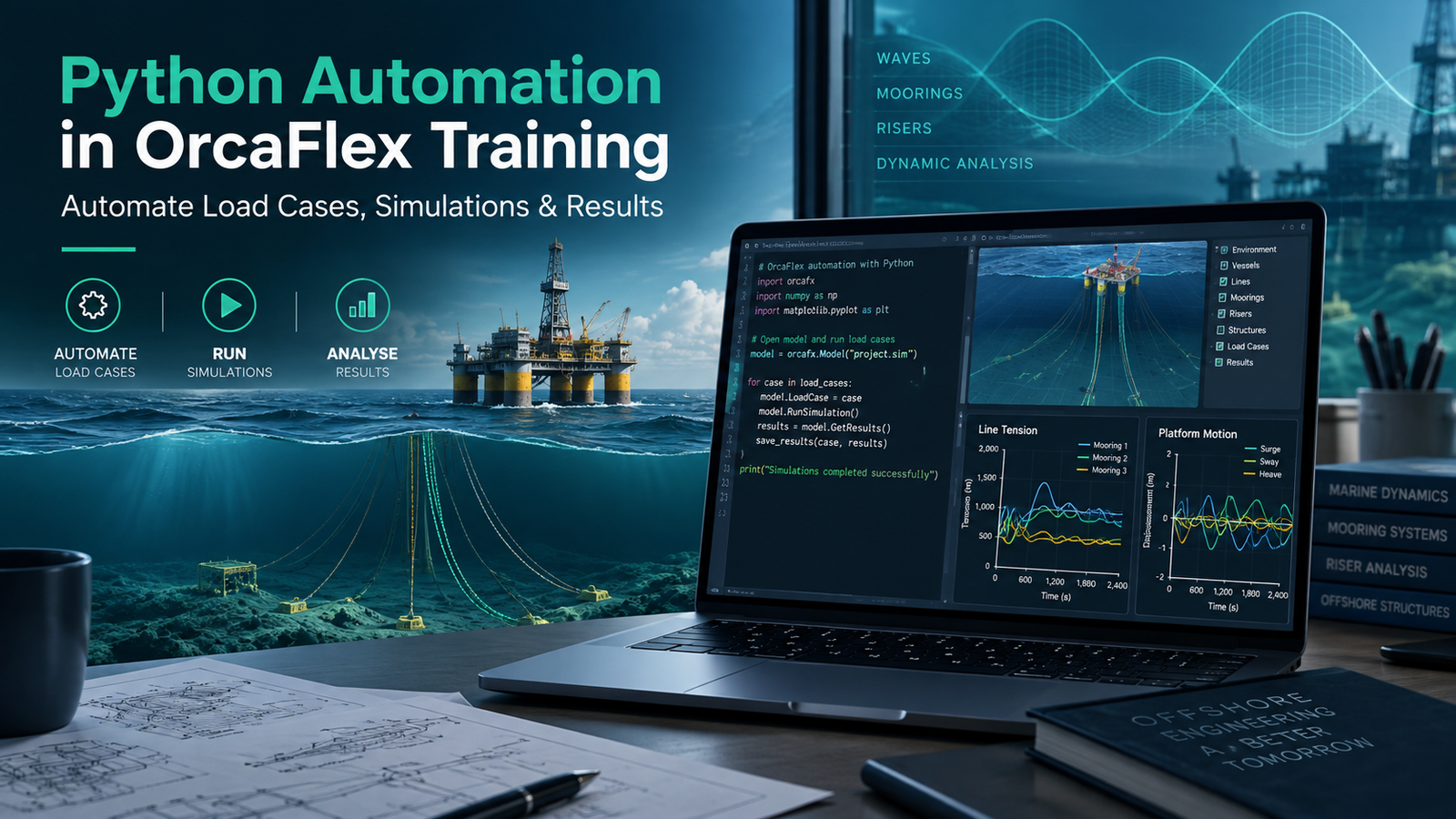
The challenge starts when that single model turns into 20, 50, or even hundreds of analysis cases.
A vessel position changes. The wave direction changes. Current conditions change. A different line configuration needs to be checked. Then every simulation must be run, saved, reviewed, compared, and documented.
Doing this manually is possible. Doing it repeatedly is where engineering time starts disappearing.
This is exactly where Python Automation in OrcaFlex Training becomes useful.
Instead of manually modifying the same OrcaFlex model again and again, engineers can use Python to control repetitive parts of the workflow. Python scripts can help prepare models, update parameters, generate load cases, run simulations, extract results, organize data, and produce comparison outputs.
The purpose is not to replace engineering judgement. It is to stop spending engineering hours on repetitive actions that a well-designed script can perform consistently.
At Ascents Learning, Python Automation in OrcaFlex Training is approached from this practical perspective: understand the engineering workflow first, identify what can be automated, and then build Python scripts around real OrcaFlex tasks.
This article explains what that process looks like and why the combination of Python and OrcaFlex is becoming increasingly useful for offshore, marine, subsea, mooring, riser, and simulation engineers.
Why OrcaFlex Automation Is Becoming an Important Engineering Skill
OrcaFlex is widely used for dynamic analysis of offshore and marine systems. Engineers may use it for applications involving mooring systems, risers, subsea cables, umbilicals, floating structures, installation studies, and other offshore configurations.
The software itself provides powerful modelling and simulation capabilities. The difficulty often appears when project scale increases.
Offshore Analysis Can Become Data-Heavy Very Quickly
Consider a relatively straightforward analysis.
An engineer needs to study:
- 5 vessel offsets
- 8 environmental headings
- 3 sea-state conditions
That already produces:
5 × 8 × 3 = 120 analysis cases
And this is before adding variations such as:
- Water depth
- Current speed
- Wind direction
- Line configuration
- Pretension
- Material properties
- Equipment position
- Installation stage
The number of combinations can increase quickly.
If every case has to be created, renamed, simulated, opened, checked, and copied into a spreadsheet manually, a large amount of time is spent performing repetitive operations rather than engineering analysis.
This is one of the key reasons professionals explore Python Automation in OrcaFlex Training.
Python allows the repetitive part of the process to be handled systematically.
Why Manual OrcaFlex Workflows Become Difficult to Scale
A manual analysis workflow may look something like this:
Open model → change parameter → save file → run simulation → open results → record values → repeat
There is nothing technically wrong with this process.
For five cases, it may be perfectly reasonable. For 150 cases, it becomes much harder to manage.
Repetitive Model Editing
The same parameters may need to be changed dozens of times. Repeated manual editing increases the possibility of entering a wrong value or forgetting to update a variable.
File Naming Problems
Large studies may contain many model and simulation files. Without a consistent naming convention, engineers can end up with files that are difficult to trace back to the original conditions.
Missed Load Cases
When combinations are being managed manually, it is possible to skip a case or run the same condition twice.
Manual Results Extraction
Opening individual simulation files simply to copy maximum tension, displacement, curvature, clearance, or another result becomes inefficient.
Difficult Comparison
Even after simulations are complete, data still needs to be structured before meaningful comparison can begin.
Python Automation in OrcaFlex Training focuses on reducing these repetitive steps while keeping the engineer responsible for modelling decisions and result interpretation.
What Does Python Automation in OrcaFlex Actually Mean?
Python automation in OrcaFlex means using Python scripts to interact programmatically with OrcaFlex models, simulations, inputs, and outputs.
The connection is commonly made through the OrcaFlex Python interface and OrcFxAPI.
Instead of manually clicking through the OrcaFlex interface for every case, an engineer can create instructions in Python.
A basic automated workflow may look like this:
Engineering Input Data → Python Script → OrcaFlex Model → Simulation → Results → Python Processing → Engineering Review
Python becomes the layer connecting the different stages.
It can tell OrcaFlex what to change, what to run, what information to retrieve, and where to store the results.
This makes Python Automation in OrcaFlex Training especially relevant for professionals already comfortable with engineering simulation but looking for a more efficient way to handle repetitive studies.
What Is OrcFxAPI?
OrcFxAPI is the programming interface used to interact with OrcaFlex programmatically.
For engineers, the important point is not memorising every technical detail of the API. The important point is understanding what it allows you to do.
With the appropriate Python workflow, an engineer can perform tasks such as:
- Load an OrcaFlex model
- Access objects in the model
- Read model properties
- Modify input parameters
- Change environmental conditions
- Save different model versions
- Run simulations
- Access simulation results
- Extract selected outputs
- Process results outside OrcaFlex
Learning how this interaction works is a central part of practical Python Automation in OrcaFlex Training.
Python Changes the Workflow, Not the Engineering
This distinction is important.
Python cannot decide whether an engineering assumption is appropriate.
It does not know automatically whether:
- A boundary condition is realistic
- A vessel offset is reasonable
- A line property has been entered correctly
- A simulation result is physically meaningful
- A peak value represents a genuine engineering concern
- The selected load cases satisfy project requirements
Python executes instructions.
That means a badly designed workflow can automate a mistake just as efficiently as it automates a correct process.
Automate repetitive work, not engineering judgement.
Good Python Automation in OrcaFlex Training should therefore teach both scripting and verification.
Manual OrcaFlex Analysis vs Python-Automated OrcaFlex Analysis
| Engineering Task | Manual OrcaFlex Workflow | Python-Automated Workflow |
|---|---|---|
| Preparing multiple load cases | Edit each model individually | Generate cases systematically |
| Changing environmental conditions | Repeated manual input | Update parameters through scripts |
| Saving models | Manual naming | Rule-based file naming |
| Running simulations | Start individually | Batch simulation workflow |
| Extracting results | Open files separately | Retrieve selected outputs automatically |
| Comparing cases | Copy values manually | Build structured datasets |
| Parametric studies | Repeated editing | Loop through parameter ranges |
| Plotting results | Prepare separately | Generate plots from processed data |
| Repeatability | Depends heavily on user process | Controlled through script logic |
| Engineering judgement | Essential | Still essential |
The biggest advantage is not simply speed. It is consistency.
A properly tested automation script applies the same logic to every analysis case.
7 OrcaFlex Tasks Engineers Can Automate With Python
A useful Python Automation in OrcaFlex Training program should focus on activities engineers can apply directly to project work.
1. Automated OrcaFlex Model Preparation
Engineers often start with a base OrcaFlex model.
Different cases may require changes to:
- Vessel position
- Line properties
- Water depth
- Environmental settings
- Simulation duration
- Object coordinates
- Equipment position
- Connection conditions
Instead of creating every model manually, Python can open the base model and apply specified values.
For example, vessel offsets could be stored in a list. The Python script could read each value, change the corresponding model property, and save a new model automatically.
2. Automated Environmental Load-Case Generation
Environmental combinations are one of the most obvious opportunities for OrcaFlex automation.
A study might involve variations in:
- Wave height
- Wave period
- Wave direction
- Current velocity
- Current direction
- Wind speed
- Wind direction
- Vessel heading
Python can loop through combinations of these values.
Instead of manually producing every case, the script generates them according to a predefined load-case matrix.
3. Batch OrcaFlex Simulations
Generating models is only one part of the process. Those models usually need to be simulated.
A batch simulation script can work through a folder or list of OrcaFlex models and run them according to defined logic.
- Open the model.
- Check or apply parameters.
- Run the simulation.
- Save the simulation file.
- Record whether the simulation completed successfully.
- Continue to the next case.
For large projects, this can reduce a significant amount of manual interaction.
4. Parametric and Sensitivity Studies
Parametric studies are another strong use case for Python.
Suppose an engineer wants to understand how maximum line tension changes with vessel offset.
Instead of manually creating a model for every offset, the script could test:
- 2 m
- 4 m
- 6 m
- 8 m
- 10 m
- 12 m
The same approach can be used for parameters such as line length, diameter, pretension, stiffness, water depth, environmental heading, and current velocity.
5. Automatic OrcaFlex Results Extraction
Running simulations is not very useful if engineers still need to open hundreds of files manually to find the results they need.
Depending on the model and engineering objective, Python can help extract results such as:
- Effective tension
- Bend moment
- Curvature
- Displacement
- Clearance
- Position
- Velocity
- Acceleration
- Vessel motion
- Line loads
- Maximum and minimum values
- Time histories
6. Automated Engineering Data Processing
Simulation output often needs additional processing before engineers can interpret it.
Python libraries such as Pandas and NumPy can help organize and analyze the data.
| Case | Heading | Vessel Offset | Max Tension | Min Clearance |
|---|---|---|---|---|
| LC001 | 0° | 5 m | Value | Value |
| LC002 | 45° | 5 m | Value | Value |
| LC003 | 90° | 5 m | Value | Value |
Once the data is structured, engineers can sort cases, filter conditions, identify maximum values, compare configurations, flag critical cases, create summaries, and export data to CSV or Excel.
7. Automated Engineering Plots and Reports
Python can also help turn simulation results into visual information.
Engineers may generate:
- Tension comparison plots
- Offset-response plots
- Heading comparison charts
- Time-history graphs
- Critical-case tables
- Maximum/minimum summaries
Libraries such as Matplotlib can be used for visualization.
Practical Example: Automating More Than 100 OrcaFlex Load Cases
Consider a simplified offshore engineering problem.
A team needs to assess a system using:
- 5 vessel offsets
- 8 headings
- 3 environmental conditions
That gives 120 combinations.
The Manual Approach
For every case, the engineer may need to:
- Open the base model.
- Change the vessel position.
- Change the environmental heading.
- Update wave conditions.
- Save the model.
- Rename the file.
- Run the simulation.
- Open the result file.
- Find maximum tension.
- Find minimum clearance.
- Enter the values into a spreadsheet.
- Repeat.
The Python-Automated Approach
Step 1: Prepare the Load-Case Table
Create a structured list containing case ID, vessel offset, wave direction, wave height, wave period, current speed, and current direction.
Step 2: Load the Base OrcaFlex Model
Python opens a validated base model.
Step 3: Apply Case-Specific Inputs
The script reads the first row and updates the relevant parameters.
Step 4: Save the Model
The model can be saved with a consistent name such as:
LC001_Offset5m_Heading000Step 5: Run the Simulation
The script starts the simulation.
Step 6: Extract Selected Results
After completion, Python retrieves the required engineering outputs.
Step 7: Store the Data
Values are written into a result table.
Step 8: Move to the Next Case
The process repeats automatically.
Step 9: Compare Results
Once all successful cases are processed, the dataset can be sorted to identify potentially critical conditions.
What the Engineer Still Needs to Check
Automation does not remove QA/QC.
Model Validity
Was the base model correct before automation began?
Input Units
Are input values being applied using the correct units?
Simulation Failures
Did every case complete successfully?
Unrealistic Peaks
Does an unusually large value represent a real physical response or a modelling problem?
Boundary Conditions
Have connections and constraints been configured correctly?
Engineering Reasonableness
Do the results make sense based on expected system behaviour?
Critical Cases
Is the case with the largest numerical value actually the governing engineering condition?
What You Should Learn in Python Automation in OrcaFlex Training
A course should not spend most of its time teaching unrelated Python topics. The programming should stay connected to engineering work.
At Ascents Learning, the objective of Python Automation in OrcaFlex Training is to build practical understanding around the tasks engineers are likely to automate.
Python Fundamentals for Engineers
- Variables
- Strings
- Numbers
- Lists
- Dictionaries
- Loops
- Conditional statements
- Functions
- File handling
- Error handling
Working With OrcFxAPI
- Loading an OrcaFlex model
- Identifying model objects
- Reading object properties
- Changing input values
- Saving modified models
- Opening completed simulations
- Accessing results
Automating OrcaFlex Simulations
- Run cases sequentially
- Organize simulation files
- Build consistent file names
- Detect failures
- Continue processing after errors
- Record simulation status
OrcaFlex Post-Processing With Python
Engineers may learn to retrieve:
- Time histories
- Range graphs
- Maximum values
- Minimum values
- Object responses
- Line responses
Engineering Data Analysis With Python
Typical exercises may involve:
- Creating DataFrames
- Sorting results
- Filtering cases
- Finding maximum values
- Grouping similar conditions
- Exporting CSV files
- Preparing summary sheets
Engineering Visualization
Matplotlib can be used to create plots such as:
- Load vs vessel offset
- Tension vs heading
- Response vs environmental condition
- Time-history comparisons
- Configuration comparisons
Python Code Logic Behind an OrcaFlex Automation Workflow
A full automation script can look complicated when viewed as one large program. It becomes easier to understand when broken into logical stages.
Read Inputs → Load Model → Loop Through Cases → Change Parameters → Run Simulation → Extract Results → Store Data → Generate Summary
Read load-case table

For every load case:

    Open base OrcaFlex model

    Apply vessel position

    Apply environmental conditions

    Save model

    Run simulation

    Extract required results

    Store results

Create final comparison table
The actual implementation may contain additional validation and error handling, but the underlying logic remains straightforward.
Where Python Automation Saves the Most Time in OrcaFlex Projects
Large Environmental Load-Case Matrices
When dozens of combinations need to be studied, scripted case generation improves repeatability and reduces repetitive input work.
Mooring Analysis
Python automation may help manage vessel offsets, environmental headings, mooring configurations, line-response extraction, and tension comparisons.
Riser Analysis
Automation can support repetitive modelling tasks and result extraction for variables such as effective tension, curvature, bend moment, and displacement.
Subsea Cable and Umbilical Studies
Different installation configurations or environmental conditions may be compared using structured scripted workflows.
Offshore Installation Studies
Python can help produce consistent model variations and process outputs across multiple installation stages.
Sensitivity Studies
When a parameter needs to be varied systematically, automation can generate and analyze the complete range.
Repetitive Post-Processing
A Python script can process existing simulation files and extract the same set of results consistently.
Python Automation Does Not Replace OrcaFlex Engineering Knowledge
Someone who understands Python but does not understand the engineering model may be able to automate OrcaFlex technically while still producing unreliable analysis.
That is why automation skills should sit on top of sound engineering understanding.
Understand the Model First
- What each parameter means
- Why the parameter is being changed
- Which responses matter
- Which assumptions have been made
Validate the Script
- Run one case manually.
- Run the same case through Python.
- Compare inputs.
- Compare simulation results.
- Confirm the expected output.
- Only then scale the process.
Use Spot Checks
Even after validation, manually review selected automated cases such as the first case, middle case, final case, critical case, and any unusual result.
Record Errors
Scripts should provide enough information to understand why a model failed.
Maintain Traceability
Model names, case IDs, input tables, results, and simulation files should remain traceable.
A badly designed script can repeat an engineering mistake hundreds of times. A well-designed script improves consistency while keeping the engineer in control.
Skills You Can Build Through Python Automation in OrcaFlex Training
- Python scripting for engineering tasks
- OrcFxAPI fundamentals
- OrcaFlex model manipulation
- Model parameter automation
- Environmental load-case generation
- Batch simulation
- Parametric analysis
- Simulation file handling
- Error handling
- Results extraction
- Engineering data processing
- Pandas-based analysis
- NumPy fundamentals
- Matplotlib visualization
- Automated comparison tables
- Engineering workflow design
- QA/QC for automated analysis
- Automation troubleshooting
5 Practical Projects to Build During OrcaFlex Python Training
Project 1: Environmental Load-Case Generator
Problem: An OrcaFlex model needs to be prepared for several combinations of wave and current directions.
Script: Python reads environmental cases from a table.
Output: A structured set of OrcaFlex cases.
Engineering Value: Reduces repetitive manual preparation.
Project 2: Batch Simulation Runner
Problem: A folder contains dozens of OrcaFlex models.
Script: Python loops through the files and runs each simulation.
Output: Simulation files and a completion-status log.
Engineering Value: Reduces the need to launch cases individually.
Project 3: Automated OrcaFlex Results Extractor
Problem: An engineer needs maximum tension from a large set of simulations.
Script: Python opens each simulation and retrieves the selected result.
Output: A CSV file or structured result table.
Engineering Value: Avoids opening each simulation manually.
Project 4: Critical Load-Case Identification Tool
Problem: Hundreds of cases have been completed and engineers need to identify potentially governing conditions.
Script: Python processes extracted results and sorts them according to selected engineering criteria.
Output: Filtered engineering results for further review.
Engineering Value: Makes large result sets easier to investigate.
Project 5: End-to-End OrcaFlex Automation Pipeline
- Read input cases.
- Open a base model.
- Modify parameters.
- Save each case.
- Run simulations.
- Extract engineering outputs.
- Create a result dataset.
- Produce plots.
- Flag cases for manual engineering review.
Who Should Learn Python Automation in OrcaFlex?
The training can be useful for professionals and students who already work with or plan to work with offshore engineering simulation.
- Offshore Engineers
- Subsea Engineers
- Mooring Engineers
- Riser Engineers
- Marine Engineers
- Naval Architects
- Structural Engineers
- Simulation Engineers
- Installation Engineers
- OrcaFlex Users
- Engineering graduates interested in offshore analysis
Do You Need to Know Python Before Starting?
Advanced Python knowledge is not necessarily required to start learning OrcaFlex automation.
The most useful starting topics are:
- Variables
- Loops
- Lists
- Functions
- Conditions
- Reading files
Existing OrcaFlex knowledge is also valuable because it helps you understand what the Python script is controlling.
If you already understand OrcaFlex manually, automation becomes easier because you already know the sequence of engineering tasks you want Python to reproduce.
Career Value of Combining OrcaFlex With Python
There is an important difference between saying:
“I know Python.”
and saying:
“I can use Python to automate an OrcaFlex analysis workflow.”
The second statement describes a specific engineering capability.
Professionals who combine simulation knowledge with scripting may be better prepared for work involving:
- Large load-case studies
- Repetitive simulation workflows
- Engineering post-processing
- Data-heavy offshore studies
- Parametric analysis
- Workflow standardization
Python does not replace engineering expertise. It adds a tool that can make that expertise easier to apply at scale.
How Ascents Learning Approaches Python Automation in OrcaFlex Training
At Ascents Learning, the emphasis is on practical learning rather than treating Python as a purely theoretical programming subject.
Practical Python for Engineers
Learn programming concepts through engineering examples rather than unrelated software-development exercises.
OrcFxAPI Practice
Understand how Python communicates with OrcaFlex models, objects, simulations, and results.
Hands-On Automation Exercises
- Model modification
- Case generation
- Batch processing
- Simulation automation
- Results extraction
Industry-Style Projects
Learners can work through realistic automation problems and develop end-to-end workflows.
Engineering Post-Processing
Practice converting simulation output into organized engineering datasets and comparison plots.
Trainer Support
Guidance from experienced trainers can help learners understand both scripting logic and workflow troubleshooting.
Flexible Learning Options
Ascents Learning provides online and offline learning options along with weekday and weekend batches to support students and working professionals.
The objective of Python Automation in OrcaFlex Training at Ascents Learning is straightforward: help learners move from performing OrcaFlex tasks manually to building practical and repeatable automation workflows.
A Practical Roadmap for Learning OrcaFlex Automation With Python
Stage 1: Understand the Manual OrcaFlex Workflow
Before writing code, understand exactly what you are doing manually.
Stage 2: Learn Essential Python
Focus on variables, lists, loops, functions, conditions, and files.
Stage 3: Understand OrcFxAPI
Learn how to connect the Python script with the OrcaFlex model.
Stage 4: Read and Modify OrcaFlex Models
Practice opening models, accessing objects, reading values, changing parameters, and saving new models.
Stage 5: Generate Analysis Cases
Use loops and structured input data to create multiple cases automatically.
Stage 6: Automate Simulations
Run the models, record simulation status, and introduce proper error handling.
Stage 7: Extract and Process Results
Retrieve selected outputs and organize them using Python.
Stage 8: Build a Complete Automation Project
Inputs → Model Generation → Simulation → Results Extraction → Analysis → Reporting
Frequently Asked Questions About Python Automation in OrcaFlex Training
1. What is Python Automation in OrcaFlex Training?
Python Automation in OrcaFlex Training teaches engineers how to use Python scripts to automate repetitive OrcaFlex activities. These may include modifying models, generating load cases, running simulations, extracting results, processing engineering data, and creating structured outputs. The purpose is to improve workflow efficiency while keeping engineering decisions and validation under human control.
2. How Is Python Used With OrcaFlex?
Python can communicate with OrcaFlex through its programming interface. Engineers can use scripts to load models, access objects, modify parameters, run simulations, open simulation files, extract results, and process those results outside OrcaFlex.
3. What Is OrcFxAPI?
OrcFxAPI is the programming interface that allows software such as Python to interact with OrcaFlex. Through the interface, scripts can access OrcaFlex models and perform tasks that would otherwise require repeated manual interaction with the graphical interface.
4. Can Python Automate OrcaFlex Simulations?
Yes. Python can be used as part of a workflow that prepares OrcaFlex models, runs simulations, saves files, and records whether the cases were completed successfully. Batch simulation is one of the most practical applications covered in Python Automation in OrcaFlex Training.
5. Can Python Be Used for OrcaFlex Batch Processing?
Yes. Batch processing allows multiple OrcaFlex models or simulation files to be handled through one structured process. Python can loop through cases, execute selected actions, and store outputs in a consistent format.
6. Do I Need Python Knowledge Before Learning OrcaFlex Automation?
Advanced programming knowledge is not always necessary. A basic understanding of variables, loops, lists, functions, and file handling is enough to begin working with simple automation tasks.
7. What OrcaFlex Results Can Be Extracted Using Python?
The exact results depend on the OrcaFlex model and analysis requirements. Examples may include effective tension, displacement, curvature, bend moment, clearance, vessel motion, loads, time histories, and maximum or minimum values.
8. Can Python Automate Environmental Load Cases in OrcaFlex?
Yes. Environmental parameters such as wave conditions, headings, current conditions, and other case-specific values can be included in a structured input dataset. Python can read the dataset and apply each combination systematically to the OrcaFlex model.
9. Is Python Useful for Mooring and Riser Analysis?
Python can be particularly useful where mooring or riser studies involve numerous combinations of offsets, headings, environmental conditions, or configurations. It can help automate repetitive model preparation, simulation management, result extraction, and comparison while engineers remain responsible for technical interpretation.
10. Who Should Take Python Automation in OrcaFlex Training?
The training is suitable for offshore engineers, subsea engineers, mooring engineers, riser engineers, marine engineers, naval architects, simulation professionals, and other OrcaFlex users who want to reduce repetitive analysis work and develop practical engineering automation skills.
Final Thoughts: Move From OrcaFlex User to Engineering Automation
Knowing how to build and analyze an OrcaFlex model is an important engineering skill.
But modern project work often requires more than running one simulation.
Engineers may need to manage dozens or hundreds of cases, compare environmental conditions, perform sensitivity studies, process large volumes of results, and identify cases requiring deeper engineering review.
This is where Python becomes valuable.
With the right workflow, Python can handle repetitive activities such as:
- Preparing multiple models
- Updating parameters
- Generating load cases
- Running simulations
- Extracting results
- Structuring engineering data
- Creating comparison outputs
The engineer remains responsible for assumptions, modelling decisions, verification, and interpretation.
That balance is the real objective of Python Automation in OrcaFlex Training.
Instead of simply learning Python syntax, professionals can learn how to apply programming directly to OrcaFlex engineering problems.
With practical exercises, real workflow examples, OrcFxAPI practice, batch simulations, post-processing, and project-based learning, Python Automation in OrcaFlex Training at Ascents Learning can help engineers progress from repeating OrcaFlex tasks manually to building more structured, scalable, and repeatable analysis workflows.