



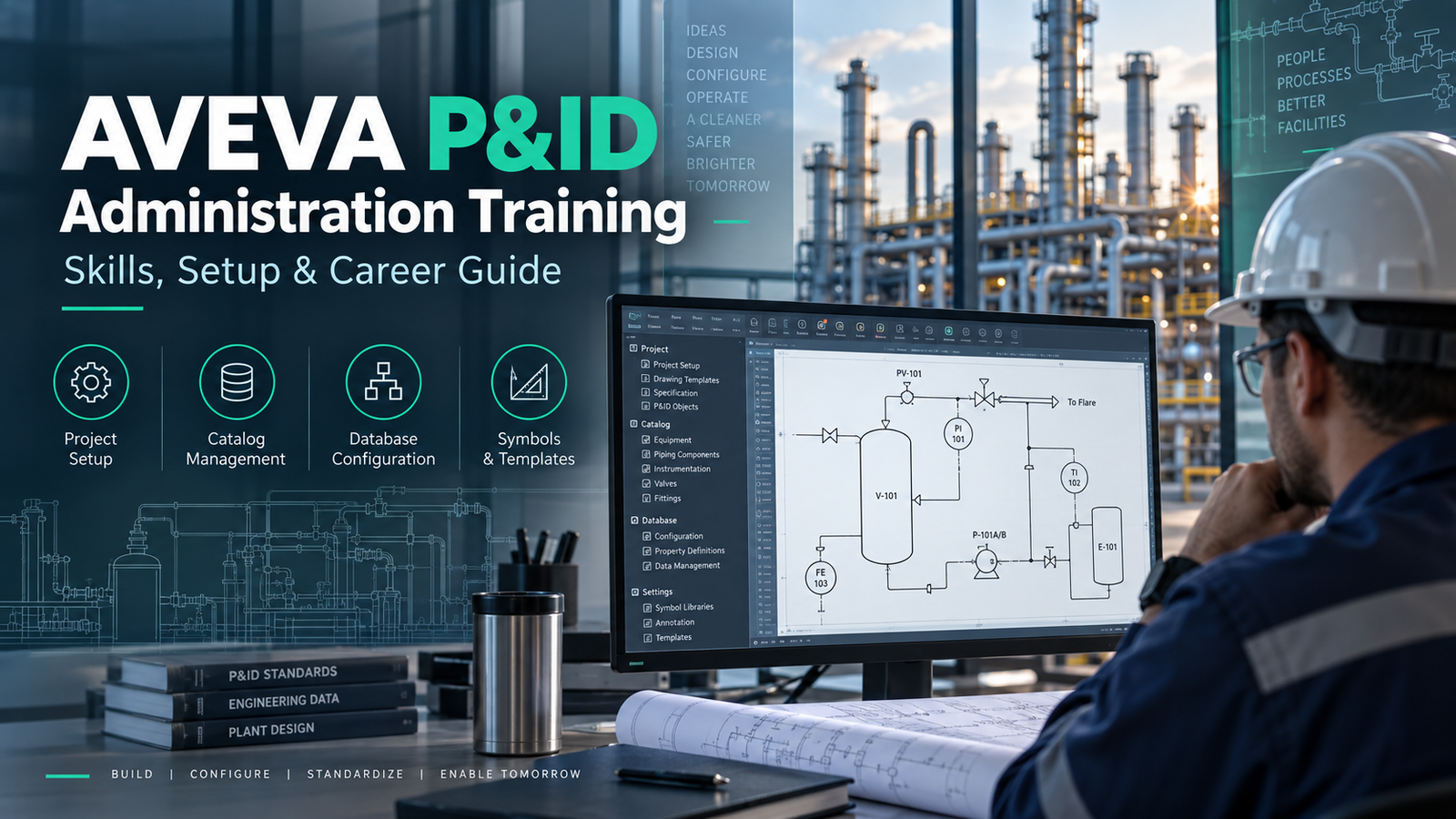
AVEVA P&ID follows an intelligent, data-centric engineering approach. Objects shown on a P&ID can carry structured engineering information that can be managed and reused throughout a project.
That is why knowing how to draw a P&ID and knowing how to administer a P&ID project are two very different skills.
AVEVA P&ID Administration Training focuses on the configuration work behind the engineering environment. It helps learners understand project setup, database configuration, catalogs, symbols, templates, attributes, standards, and the controls that allow engineering teams to work consistently.
For engineers and designers who already understand P&IDs and want to move beyond day-to-day drafting, administration knowledge can be an important next step.
At Ascents Learning, AVEVA P&ID Administration Training is designed around practical project workflows so learners understand not just where a command is located, but why an administrator would use it on an engineering project.
What Is AVEVA P&ID?
AVEVA P&ID is an engineering application used for creating and managing intelligent Piping and Instrumentation Diagrams.
A traditional CAD drawing can visually represent pumps, tanks, pipelines, instruments, and valves. An intelligent P&ID adds another layer: the graphical objects can also contain structured engineering information.
For example, a valve placed on a P&ID may contain information such as:
- Tag number
- Valve type
- Line number
- Nominal size
- Specification
- Service
- Engineering properties
Similarly, equipment such as a pump can have its own tag, equipment class, operating information, and associated project data.
This data-centric approach becomes especially important when an engineering project contains hundreds or thousands of drawings. The project needs consistency across diagrams, engineering information, symbols, and standards.
The software therefore needs more than capable designers. Someone also has to define and maintain the environment in which those designers work.
That is where P&ID administration becomes important.
What Is AVEVA P&ID Administration?
AVEVA P&ID administration is the process of configuring and maintaining the project environment used to create intelligent engineering diagrams.
A designer normally works inside an environment that has already been prepared. The administrator helps prepare and maintain that environment.
Typical administration work can involve:
- Project configuration
- Engineering database configuration
- Catalog management
- Symbol setup
- Templates
- Project standards
- Engineering attributes
- Libraries
- Data validation
- Troubleshooting
- Configuration maintenance
Think about a new refinery project.
The design team cannot simply open the software on the first day and independently decide how every pump, valve, line, or instrument should be represented. The company will normally have engineering standards, naming conventions, drawing formats, symbol libraries, and required properties.
Those standards need to be translated into a usable project environment.
AVEVA P&ID Administration Training teaches learners how that administration layer works.
Intelligent P&IDs Are More Than Drawings
One of the most important concepts to understand before learning administration is the difference between graphical drafting and engineering data.
Imagine two valves that look identical on a drawing.
Visually, there may be little difference between them. From an engineering-data perspective, however, they may have completely different:
- Tags
- Services
- Sizes
- Specifications
- Line associations
- Equipment relationships
This is what makes administration important.
An administrator needs to think about both sides of the system:
What will the engineer see on the drawing?
and
What engineering information should exist behind that object?
A good AVEVA P&ID Administration Training course should develop both ways of thinking.
AVEVA P&ID User vs AVEVA P&ID Administrator
People sometimes assume that someone who knows AVEVA P&ID automatically knows administration. That is not necessarily the case.
The responsibilities are different.
| AVEVA P&ID User | AVEVA P&ID Administrator |
|---|---|
| Creates and edits P&IDs | Configures the working environment |
| Places equipment and instruments | Configures available symbols |
| Creates or modifies pipelines | Maintains project standards |
| Enters engineering information | Defines and manages properties |
| Uses existing catalogs | Configures catalogs |
| Uses drawing templates | Creates and maintains templates |
| Works within project rules | Helps establish project rules |
| Produces engineering drawings | Supports the system behind those drawings |
A designer asks:
“How do I place this valve correctly?”
An administrator may need to ask:
“Which valve classes should be available, what properties should they contain, how should they appear, and what project rules should apply?”
That difference is at the heart of AVEVA P&ID Administration Training.
Why Learn AVEVA P&ID Administration?
There are several practical reasons an engineer or designer may want to develop administration skills.
Move Beyond P&ID Drafting
Using software is useful. Understanding how the software environment itself is configured gives you a broader view of engineering execution.
A P&ID designer may spend most of the day creating and updating diagrams. An administrator has to think about how the entire group of designers will work.
That requires understanding:
- Standards
- Data structures
- Reusable engineering content
- Project consistency
- Configuration decisions
For experienced users, this can be a natural progression.
Understand How Engineering Projects Are Set Up
Before an EPC project moves into full production, considerable preparation may be required.
The engineering environment needs consistent:
- Naming conventions
- Templates
- Equipment definitions
- Symbols
- Attributes
- Catalog content
- Data structures
AVEVA P&ID Administration Training gives learners exposure to this project setup stage rather than focusing only on drawing production.
Work More Effectively With Engineering Data
Modern plant design is increasingly data-centric.
An administrator therefore needs to understand not only graphical drawings but also how engineering information is structured and controlled.
Support Consistency Across a Project
Imagine ten designers working on different sections of the same plant.
If everyone uses different naming practices, symbols, templates, and component definitions, the project quickly becomes difficult to control.
Administration provides a common environment.
That consistency is particularly important in EPC and owner-operator projects where large numbers of engineering documents and data objects must eventually work together.
What You Learn in AVEVA P&ID Administration Training
The exact syllabus will vary by training provider and software environment, but a practical administration program should address the following areas.
1. AVEVA P&ID Environment and Architecture
Before changing configuration, learners need to understand what they are configuring.
This section should introduce:
- AVEVA P&ID environment
- Project organization
- Engineering objects
- Drawing information
- Database concepts
- Relationship between graphics and engineering data
- Administration responsibilities
This foundation matters. Without it, learners can memorize configuration procedures without understanding the consequences of the changes they make.
2. AVEVA P&ID Project Setup
A major part of AVEVA P&ID Administration Training should focus on project configuration.
Learners should understand what happens when a new engineering project is prepared.
Topics may include:
- Creating a project
- Defining project-level settings
- Preparing the working environment
- Applying project standards
- Organizing project resources
- Testing initial configuration
Consider an EPC company starting a chemical plant project.
Before 20 engineers begin producing P&IDs, the administrator may need to ensure that the project contains the correct standards, symbols, templates, engineering properties, and component definitions.
That is very different from simply opening an existing project and drawing a pipeline.
3. Database Configuration
One of the biggest shifts for learners moving from user-level work into administration is learning to think about the engineering database.
During training, learners should develop an understanding of:
- Database concepts
- Engineering object structures
- Classes
- Attributes
- Properties
- Relationships between objects
- Data entry behavior
- Project information management
You do not need to become a database developer to administer P&ID effectively, but you do need to understand how project information is organized.
4. Catalog Management
Catalogs help standardize what users can select and place within a project.
An administrator may need to manage content associated with:
- Equipment
- Piping components
- Valves
- Instruments
- Other engineering objects
A well-managed catalog prevents every designer from creating project components independently.
Suppose a company has an approved set of valve types for a particular project.
Instead of allowing each designer to create a new valve definition, the project can provide controlled content that follows the required engineering standard.
AVEVA P&ID Administration Training should therefore include practical catalog configuration rather than discussing catalogs only at a theoretical level.
5. Symbol Creation and Configuration
Symbols are another important administration area.
Plant engineering projects may require standard graphical representations for:
- Pumps
- Vessels
- Compressors
- Valves
- Instruments
- Specialty equipment
- Process components
An administrator needs to understand more than how to draw a symbol.
The useful question is:
How does that graphical symbol connect with the engineering object and its data?
Training should cover the relationship between:
- Graphical appearance
- Object class
- Properties
- Placement behavior
- Project standards
Practical symbol exercises are particularly valuable because they show how administration affects the day-to-day experience of P&ID designers.
6. Templates and Drawing Standards
Every serious engineering project needs consistency.
A project may define specific:
- Drawing formats
- Title blocks
- Layout conventions
- Template structures
- Documentation standards
Administrators help ensure that these standards are available to project users from the start.
Without controlled templates, one drawing may follow one format while another uses something completely different.
In a small project that may be inconvenient. In a project involving hundreds of drawings, it becomes a project-management problem.
7. Engineering Attributes and Properties
Engineering objects need meaningful information.
Depending on the object and project, attributes might include:
- Equipment tag
- Line number
- Pipe diameter
- Service
- Specification
- Instrument tag
- Equipment description
- Design information
- Project-specific fields
Learning how attributes are configured is a critical part of AVEVA P&ID Administration Training.
The objective is not simply to add more data fields.
Administrators need to think about what information engineering teams actually need and how that information should remain consistent across the project.
8. Project Libraries
Reusable content saves engineering teams from repeatedly creating the same resources.
Libraries may contain standardized project information that can be used across multiple drawings or engineering activities.
Training should explain:
- Why libraries are used
- How standardized resources are maintained
- How project-specific content differs from reusable content
- How changes can affect users
This is another area where administration decisions influence productivity across an entire engineering team.
9. Data Validation and Quality Control
Administration is not complete once the project has been configured.
The environment also needs to be checked.
Typical questions include:
- Are required properties available?
- Are engineering objects using the correct definitions?
- Are naming conventions being followed?
- Are symbols behaving correctly?
- Are project standards being applied consistently?
- Is engineering information complete enough for downstream work?
A practical AVEVA P&ID Administration Training program should expose learners to validation and troubleshooting rather than presenting configuration as a one-time activity.
10. Administration Troubleshooting
Real engineering projects rarely behave exactly like textbook exercises.
A designer may report:
- A symbol is unavailable.
- A property is missing.
- An object is behaving differently from expected.
- A template does not follow the project standard.
- Engineering information is inconsistent.
An administrator needs to investigate the problem systematically.
Instead of only asking learners to configure a correct environment, training should occasionally provide an incorrect configuration and ask them to identify the cause.
That resembles real administration work much more closely.
A Practical AVEVA P&ID Administration Workflow
Consider a company starting a refinery expansion project.
Here is a simplified administration workflow.
Step 1: Review Project Requirements
Before touching the software, understand:
- Client standards
- EPC standards
- Required drawing formats
- Naming conventions
- Equipment classes
- Instrumentation standards
- Required engineering properties
Configuration should follow engineering requirements, not the other way around.
Step 2: Create the Project Environment
The administrator prepares the basic project structure and relevant configuration.
Step 3: Configure Engineering Information
The required data structures, properties, and project-specific information are prepared.
Step 4: Prepare Catalog Content
Approved components and engineering objects are configured so users work with consistent content.
Step 5: Configure Symbols
Required symbols are prepared and connected with the appropriate engineering objects.
Step 6: Prepare Templates
Drawing templates and project standards are established.
Step 7: Test With Sample P&IDs
Before releasing the environment to a large design team, sample drawings should be created and tested.
Common objects may include:
- Pumps
- Vessels
- Pipelines
- Valves
- Instruments
Step 8: Check Data
Verify that engineering properties behave as expected.
Step 9: Resolve Configuration Problems
Correct missing attributes, incorrect symbols, catalog issues, or other configuration errors.
Step 10: Release the Environment to Engineering Users
Once the environment is stable, the broader team can begin production work.
This workflow is the type of thinking that good AVEVA P&ID Administration Training should develop.
Practical Projects for AVEVA P&ID Administration Training
Watching an instructor configure software is not enough.
Administration becomes clearer when you have to build something yourself.
Project 1: Build a Small P&ID Project Environment
Create a project for a simple process unit.
Define basic:
- Equipment
- Pipelines
- Valves
- Instruments
- Properties
- Drawing standards
The objective is to understand how individual administration activities come together.
Project 2: Configure a Component Catalog
Build or modify a controlled set of project components.
Test whether engineering users can select and use those components correctly.
Project 3: Create Custom Symbols
Configure a small set of equipment or instrumentation symbols based on a hypothetical client standard.
Then verify that they carry the expected engineering information.
Project 4: Prepare a Standard Drawing Template
Configure a reusable drawing template and test it across multiple P&IDs.
Project 5: Configure Engineering Attributes
Create appropriate properties for selected objects and verify how users interact with them.
Project 6: Troubleshoot a Faulty Project
Start with a project containing deliberate configuration mistakes.
Identify:
- Incorrect symbols
- Missing properties
- Wrong catalog entries
- Inconsistent templates
Then correct the project.
This type of exercise builds much stronger administration skills than simply repeating menu steps.
Skills You Can Develop Through AVEVA P&ID Administration Training
Project Configuration
Understand how an engineering environment is prepared before designers begin production work.
Engineering Database Concepts
Learn how graphical engineering objects connect with structured project information.
Catalog Administration
Understand how standardized project components are controlled.
Symbol Configuration
Learn how graphical symbols and engineering information work together.
Template Management
Maintain consistency across engineering drawings.
Engineering Data Management
Understand the importance of structured, accurate project information.
Project Standards
Learn how administration supports common engineering rules across a multidisciplinary project.
Troubleshooting
Develop a logical approach to configuration problems rather than relying on trial and error.
Who Should Learn AVEVA P&ID Administration?
AVEVA P&ID Administration Training is particularly relevant to professionals who already work with plant design information or want to move toward engineering-system administration.
P&ID Designers
Designers who already know how to produce P&IDs are often well positioned to learn administration because they understand how project users interact with the system.
Administration training helps them understand what happens behind the working environment they use every day.
Piping Engineers
Piping engineers working with plant design documentation can benefit from understanding the way piping information and project standards are represented in an intelligent P&ID environment.
Instrumentation Engineers
Instrumentation professionals regularly work with:
- Instrument tags
- Control loops
- Signals
- Equipment relationships
- Engineering attributes
This makes P&ID administration relevant to professionals who want a better understanding of engineering data configuration.
Process Engineers
Process engineers frequently create or review PFDs and P&IDs.
Administration knowledge can help them understand how intelligent engineering information is structured behind these drawings.
Existing AVEVA P&ID Users
Someone already comfortable with user-level functionality may find AVEVA P&ID Administration Training to be the most logical next step.
Instead of learning more drawing commands, the focus shifts to how the project itself is configured.
EPC Engineering Professionals
Engineering, Procurement and Construction companies often need controlled, standardized engineering environments.
Professionals working in these organizations may encounter responsibilities related to engineering application administration, project setup, data coordination, or design-system support.
Engineering Graduates
Fresh graduates can learn the technology, but administration becomes easier when they first understand:
- Basic P&IDs
- Equipment
- Piping
- Instrumentation
- Plant engineering terminology
Learning software without understanding the engineering context usually makes administration unnecessarily difficult.
Prerequisites for AVEVA P&ID Administration Training
You do not necessarily need years of administration experience before starting.
However, the following knowledge is useful:
- Basic understanding of P&IDs
- Familiarity with process plant terminology
- Basic knowledge of equipment, piping, valves, and instruments
- General computer skills
- Some exposure to engineering design software
Previous experience using AVEVA P&ID can be a strong advantage.
If you are completely new to Piping and Instrumentation Diagrams, learning basic P&ID concepts first will make the administration material much easier to understand.
AVEVA P&ID Administration Training Course Curriculum
Module 1: Introduction to AVEVA P&ID
- P&ID fundamentals
- Intelligent engineering drawings
- Software environment
- User and administrator responsibilities
Module 2: Project Architecture
- Project structure
- Engineering data concepts
- Drawing and database relationships
Module 3: Project Creation and Configuration
- Creating projects
- Initial configuration
- Project standards
- Environment preparation
Module 4: Database Administration
- Engineering objects
- Classes
- Properties
- Attributes
- Data relationships
Module 5: Catalog Management
- Catalog concepts
- Equipment
- Piping components
- Instrument components
- Project standardization
Module 6: Symbol Administration
- Symbol creation
- Symbol configuration
- Graphical standards
- Connecting symbols with engineering data
Module 7: Templates and Standards
- Drawing templates
- Project formats
- Reusable standards
Module 8: Engineering Attributes
- Object properties
- Custom project information
- Tagging-related data
- Engineering data consistency
Module 9: Libraries
- Reusable content
- Project resources
- Standardization
Module 10: Data Validation
- Data checking
- Identifying inconsistencies
- Reviewing engineering information
Module 11: Administration Troubleshooting
- Configuration issues
- Catalog problems
- Symbol problems
- Property issues
Module 12: Practical Project
- Configure a sample environment
- Prepare catalogs
- Configure symbols
- Create templates
- Test sample P&IDs
- Validate data
How AVEVA P&ID Administration Is Used in EPC Projects
The easiest way to understand the value of administration is to look at what happens on a real engineering project.
Imagine an EPC contractor has received a project involving 300 P&IDs.
Twenty designers will work on the diagrams.
The client has its own:
- Equipment naming rules
- Instrument tagging conventions
- Piping standards
- Symbol standards
- Drawing templates
- Required engineering attributes
Allowing 20 users to interpret those rules independently would create inconsistency almost immediately.
Instead, the project environment can be configured so that common standards are already built into the way engineers and designers work.
This is where an AVEVA P&ID administrator contributes.
The administrator is not replacing the process, piping, or instrumentation engineer.
The administrator is helping create a controlled engineering environment in which those disciplines can work efficiently.
AVEVA P&ID and the Move Toward Unified Engineering
Professionals learning AVEVA technology today should also understand the wider product direction.
AVEVA has been bringing engineering disciplines into broader data-centric environments such as AVEVA Unified Engineering, where engineering information can be managed across multiple disciplines rather than remaining in isolated documents.
This does not make traditional P&ID administration knowledge irrelevant.
It makes the underlying concepts even more important.
Understanding:
- Engineering data
- Configuration
- Standards
- Properties
- Relationships
- Data quality
- Multidiscipline workflows
helps professionals understand the broader transition from document-centric engineering toward connected, data-centric engineering.
For learners, this means AVEVA P&ID Administration Training should ideally teach both practical administration concepts and awareness of how those concepts fit within modern AVEVA engineering workflows.
AVEVA P&ID Administration vs AVEVA P&ID User Training
Choosing the right course depends on your current role and experience.
Choose User Training If:
You are new to AVEVA P&ID and primarily need to learn how to:
- Create drawings
- Place equipment
- Add pipelines
- Insert instruments
- Modify P&IDs
- Enter engineering information
- Produce project drawings
Choose Administration Training If:
You already understand P&ID workflows and want to learn how to:
- Configure projects
- Manage catalogs
- Configure symbols
- Manage project attributes
- Work with engineering databases
- Maintain templates
- Apply project standards
- Troubleshoot administration issues
A common learning path is:
P&ID Fundamentals → AVEVA P&ID User Skills → AVEVA P&ID Administration → Project Practice
That sequence helps learners understand both the user experience and the configuration behind it.
Career Opportunities After AVEVA P&ID Administration Training
Completing AVEVA P&ID Administration Training does not automatically qualify someone for every AVEVA-related engineering position.
Employers normally consider several factors together:
- Engineering education
- Industry experience
- P&ID knowledge
- AVEVA experience
- EPC project exposure
- Administration skills
- Understanding of engineering standards
Depending on your background, relevant positions may include:
- AVEVA P&ID Administrator
- P&ID Administrator
- AVEVA Engineering Administrator
- P&ID Designer
- Engineering Application Administrator
- Plant Design Engineer
- Engineering Systems Administrator
- CAD/Engineering Systems Support roles
For an experienced P&ID designer, administration knowledge may help broaden responsibilities.
For an engineer already working in EPC projects, it may provide useful exposure to the systems supporting engineering data and project execution.
Skills Employers May Look for in an AVEVA P&ID Administrator
Software knowledge is only one part of the role.
Employers may value professionals who can combine technical configuration with engineering understanding.
Useful skills include:
- P&ID knowledge
- Plant engineering fundamentals
- AVEVA P&ID configuration
- Database concepts
- Catalog management
- Symbol administration
- Engineering data management
- Project standards
- Troubleshooting
- Documentation
- Communication with engineering disciplines
That last point matters more than beginners sometimes expect.
An administrator may need to speak with process engineers about equipment information, instrumentation teams about tagging, piping teams about component standards, and designers about usability.
Being able to understand the engineering requirement before changing the system is an important skill.
How Long Does It Take to Learn AVEVA P&ID Administration?
There is no single learning period that applies to everyone.
A designer who has already worked with AVEVA P&ID for several years will normally understand the user side quickly.
A beginner may need additional time to understand:
- P&ID terminology
- Plant engineering
- Project structures
- Engineering data
- AVEVA workflows
Your progress also depends heavily on practice.
Watching hours of demonstrations is not the same as configuring a project yourself.
A better measure is whether you can independently:
- Understand a project requirement.
- Configure the appropriate project settings.
- Prepare required engineering content.
- Test the configuration.
- Identify problems.
- Correct them.
- Explain why the final configuration works.
That is a much stronger indication of administration ability than course duration alone.
Common Mistakes While Learning AVEVA P&ID Administration
Mistake 1: Memorizing Menus Instead of Understanding Engineering
Knowing where a button is located does not make someone an administrator.
Always understand the engineering reason behind a configuration.
Mistake 2: Ignoring the Data Side
P&ID administration is not just graphical configuration.
Engineering data is central to intelligent P&IDs.
Mistake 3: Spending Too Much Time on Symbols
Symbol creation is useful, but it is only one part of administration.
Project setup, databases, properties, catalogs, standards, and validation matter too.
Mistake 4: Practicing Only Perfect Examples
Real projects contain mistakes.
Practice troubleshooting.
Try to understand what happens when:
- A property is missing
- A catalog item is incorrect
- A symbol is configured improperly
- A template does not follow the standard
Mistake 5: Ignoring Engineering Standards
A technically valid configuration can still be wrong for the project.
Administration exists to support engineering requirements.
Mistake 6: Never Building a Complete Practice Project
Individual exercises teach individual commands.
A complete project teaches how those commands connect.
That is why project-based practice should be a major part of AVEVA P&ID Administration Training.
How to Choose the Right AVEVA P&ID Administration Training
Do not choose training based only on the number of syllabus topics.
Look at how those topics are taught.
Administration-Focused Content
Make sure the course goes beyond basic P&ID drawing.
Hands-On Configuration
You should have opportunities to work through configuration tasks yourself.
Project-Based Exercises
A sample engineering project helps connect catalogs, databases, symbols, templates, and standards.
Troubleshooting
Ask whether training includes configuration problems rather than only ideal demonstrations.
Engineering Context
The instructor should be able to explain why a configuration would be used on an EPC or plant engineering project.
Doubt Resolution
Administration questions can become highly specific. Access to an instructor for technical questions can therefore be valuable.
Current AVEVA Context
As AVEVA continues to develop connected engineering environments, useful training should help learners understand both established P&ID administration workflows and broader data-centric engineering concepts.
AVEVA P&ID Administration Training at Ascents Learning
At Ascents Learning, the goal of AVEVA P&ID Administration Training is to help learners move beyond software commands and understand how administration supports an engineering project.
The training approach focuses on areas such as:
- AVEVA P&ID environment
- Project configuration
- Database concepts
- Catalog management
- Symbol configuration
- Templates
- Engineering attributes
- Project standards
- Data validation
- Troubleshooting
- Practical project scenarios
Instead of treating every topic as an isolated feature, learners should understand how the pieces fit together.
For example, creating a symbol is useful.
But an administrator should also understand:
- Which engineering object the symbol represents
- What properties it requires
- Which project standards apply
- How designers will use it
- What happens to the associated engineering data
That project-oriented thinking is what AVEVA P&ID Administration Training at Ascents Learning aims to build.
A Practical Learning Roadmap for AVEVA P&ID Administration
Step 1: Learn P&ID Fundamentals
Understand equipment, pipelines, valves, instruments, tags, and basic process engineering terminology.
Step 2: Learn AVEVA P&ID User Workflows
Understand how designers create and modify engineering drawings.
Step 3: Understand Project Architecture
Learn how drawings and engineering data are organized.
Step 4: Learn Database and Property Configuration
Understand engineering objects, attributes, and relationships.
Step 5: Learn Catalog Administration
Work with standardized engineering content.
Step 6: Learn Symbol and Template Configuration
Connect graphical standards with engineering requirements.
Step 7: Learn Data Validation
Check whether the project behaves consistently.
Step 8: Practice Troubleshooting
Find and correct administration problems.
Step 9: Configure a Complete Sample Project
Bring everything together in one realistic workflow.
This is a much stronger learning path than memorizing isolated software features.
Is AVEVA P&ID Administration Training Worth Learning?
It can be particularly valuable if your goal is to move beyond simply creating P&IDs.
Administration knowledge helps you understand the system behind engineering drawings:
- How projects are configured
- How engineering information is structured
- How catalogs are controlled
- How symbols are standardized
- How templates are maintained
- How project rules are applied
- How engineering data remains consistent
That makes AVEVA P&ID Administration Training relevant to designers, engineers, and engineering-system professionals who want a deeper understanding of intelligent plant design workflows.
It can be particularly useful for professionals working in EPC, process plant, oil and gas, petrochemical, chemical, power, and other engineering environments where large amounts of structured engineering information need to remain consistent across a project.
Frequently Asked Questions About AVEVA P&ID Administration Training
1. What is AVEVA P&ID Administration Training?
AVEVA P&ID Administration Training teaches learners how to configure and maintain the project environment behind intelligent P&IDs. Topics can include project setup, databases, catalogs, symbols, engineering attributes, templates, project standards, validation, and troubleshooting.
2. What does an AVEVA P&ID Administrator do?
An AVEVA P&ID administrator supports the configuration and maintenance of the engineering environment used by P&ID designers and engineers. Responsibilities can include preparing projects, configuring engineering properties, maintaining catalogs and symbols, managing standards, and resolving configuration issues.
3. Is AVEVA P&ID administration different from user training?
Yes. User training primarily focuses on creating and editing P&IDs. Administration training focuses on configuring the project environment in which those users work.
4. Who should take AVEVA P&ID Administration Training?
The training is suitable for P&ID designers, piping engineers, process engineers, instrumentation engineers, EPC professionals, existing AVEVA users, and professionals interested in engineering-system administration.
5. Do I need previous AVEVA P&ID experience?
Previous user-level experience is useful because it helps you understand how configuration affects designers. Beginners can still learn administration, but they should first develop a basic understanding of P&IDs and plant engineering concepts.
6. What topics should an AVEVA P&ID Administration course cover?
A good course should cover project setup, database concepts, catalog administration, symbol configuration, templates, attributes, project standards, data validation, troubleshooting, and practical project work.
7. Does AVEVA P&ID Administration Training include database concepts?
It should. Intelligent P&IDs are data-centric, so administrators need to understand how engineering objects, attributes, properties, and project information relate to graphical drawings.
8. Can an instrumentation engineer learn AVEVA P&ID administration?
Yes. Instrumentation engineers already work with tags, control systems, instruments, signals, and engineering data, which provides useful context for learning P&ID administration.
9. Can a piping engineer become an AVEVA P&ID administrator?
Yes. Piping engineers with strong P&ID knowledge and suitable software training can develop administration skills. Actual job requirements will vary by employer and project.
10. What jobs can I target after learning AVEVA P&ID administration?
Depending on your education and experience, relevant roles can include AVEVA P&ID Administrator, P&ID Administrator, AVEVA Engineering Administrator, Engineering Application Administrator, P&ID Designer, and engineering-system support roles.
11. Is AVEVA P&ID still relevant with AVEVA Unified Engineering?
Yes. AVEVA’s engineering ecosystem continues to move toward connected and data-centric engineering workflows. The underlying knowledge of intelligent P&IDs, engineering data, project standards, and configuration remains highly relevant.
12. What is the best way to practice AVEVA P&ID administration?
Build a small project rather than practicing isolated commands. Configure its engineering properties, catalogs, symbols, templates, and standards. Create sample P&IDs, test the environment, introduce configuration problems, and then troubleshoot them.
13. Is AVEVA P&ID Administration Training useful for EPC professionals?
Yes. EPC projects depend heavily on engineering standards, consistent data, controlled project environments, and multidisciplinary coordination. Understanding P&ID administration can therefore be useful for professionals involved in engineering execution and design-system support.
14. Does Ascents Learning provide AVEVA P&ID Administration Training?
Yes. Ascents Learning provides AVEVA P&ID Administration Training with an emphasis on practical learning, project configuration, administration concepts, and engineering-oriented workflows.
Conclusion
Learning to create a P&ID is one skill.
Understanding how the entire P&ID project environment is configured is another.
An administrator needs to understand what happens behind the drawing: the engineering database, catalogs, attributes, symbols, templates, project standards, and controls that allow a team of designers and engineers to work consistently.
That is the real value of AVEVA P&ID Administration Training.
For professionals already working with P&IDs, piping, process engineering, instrumentation, plant design, or EPC projects, administration knowledge can provide a much deeper understanding of intelligent engineering systems.
As engineering environments continue moving toward connected and data-centric workflows, understanding the relationship between drawings, engineering data, standards, and project configuration becomes increasingly useful.
Ascents Learning’s AVEVA P&ID Administration Training is intended for learners who want to move beyond basic software usage and build practical knowledge of project setup, database configuration, catalog management, symbols, templates, engineering data, validation, and real administration workflows.
The goal should not be to memorize where every command sits.
It should be to understand an engineering requirement, configure the system correctly, test the result, and know why it works.